Windows XP Windows 7 Windows 2003 Windows Vista Windows 綜合教學 Linux 系統教學
Windows 10 Windows 8 Windows 2008 Windows NT Windows Server 電腦軟體教學
您现在的位置: Windows教程網 >> Windows教程 >  >> Windows Server 系統教學 >> Server 2003

Win2003 自行新增虛擬網卡(Microsoft Loopback Adapter)教學

編輯:Server 2003

Windows Server 2003 透過「新增硬體精靈」手動安裝 Microsoft Loopback Adapter 虛擬網卡,適用於測試、開發、VPN 綁定等場景,無需實體硬體。

操作步驟

  1. 「開始」→「設定」→「控制台」→「新增硬體」。
  2. 選擇「是,硬體已連接」。
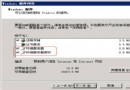
  3. 列表最下方選擇「新增硬體裝置」。
  4. 選擇「從清單手動選擇安裝 (進階)」。
  5. 裝置類別選「網路介面卡」。
  6. 廠商選「Microsoft」,右側選「Microsoft Loopback Adapter」。
  7. 下一步安裝完成,裝置管理員出現新虛擬網卡,可如實體網卡般設定 IP、綁定服務。

簡單幾步即擁有虛擬網卡,靈活滿足測試與開發需求。

Copyright © Windows教程網 All Rights Reserved