在開機選單(多重開機選單或 BIOS 選單)中鍵盤無反應,主因是 BIOS 中 USB 鍵盤支援未啟用。
解決步驟
- 開機連按 Del(筆電多為 F2)進入 BIOS 設定。
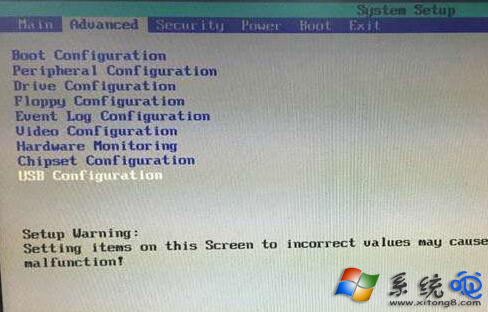
- 進入 Advanced(進階)頁籤 → 找到 USB Configuration(USB 設定)。
- 將所有 USB 相關選項(如 USB Keyboard Support、USB Legacy Support、EHCI Hand-off 等)設為 Enabled(啟用)。
- 按 F10 存檔離開,重啟電腦。
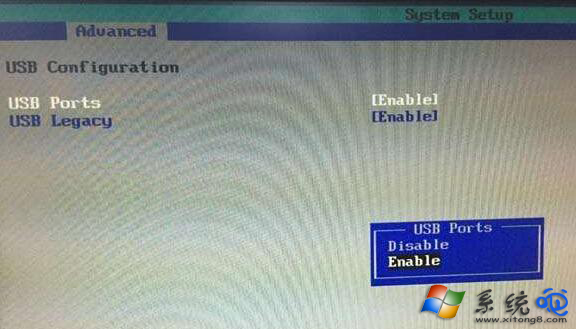
啟用後,開機選單、BIOS 介面、DOS 環境下皆可正常使用 USB 鍵盤。