Windows Server 2003/XP SP1/SP2 內建 IPv6 但預設不安裝。安裝前必須了解安全性缺口:
有限優勢
- 位址空間龐大(128-bit),掃描極難,具備「模糊安全性」。
嚴重缺陷
- IPSec 實作崩潰:ESP 不支援資料壓縮;不支援 IKE 協商 SA,無法透過群組原則部署 IPv6 IPSec。
- 手動靜態金鑰管理:必須逐台手動設定 SA、MD5、SHA-1 金鑰,規模稍大即成災難;靜態金鑰極易被破解,資料終將洩露。
安裝步驟
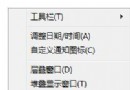
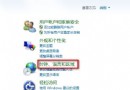
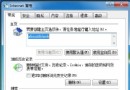
- 控制台 → 網路連線 → 區域連線內容 →「安裝」→ 選「Microsoft IPv6」→ 確定。
- 前提:已安裝 IPv4。
結論
微軟 IPv6 尚不成熟,**建議完整測試後再佈署生產環境**。Win2000 可下載技術預覽版測試。安全性仍為核心考量,切勿盲目啟用。