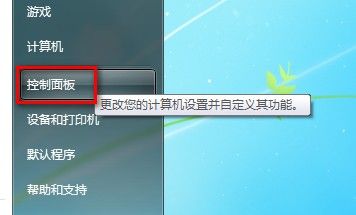
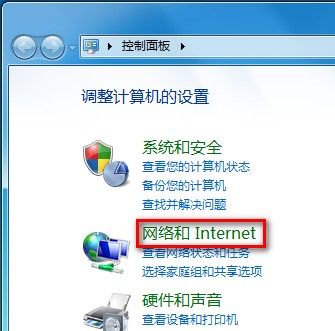
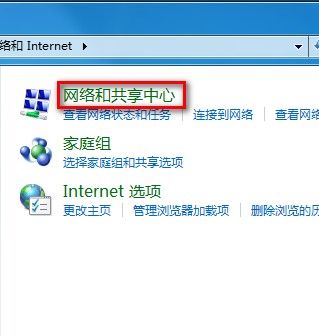
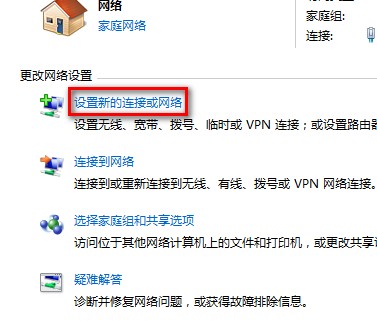
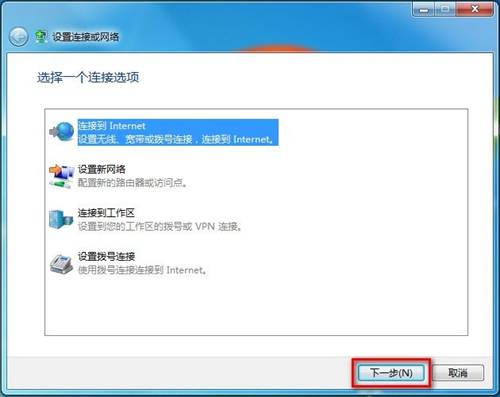
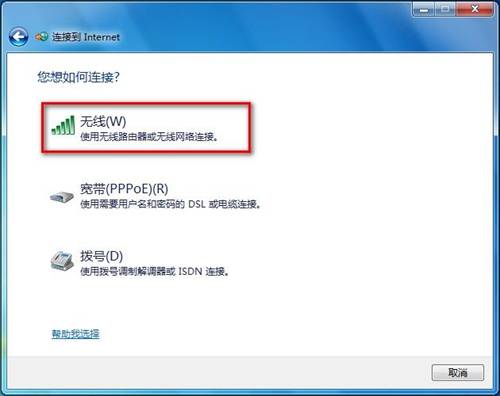
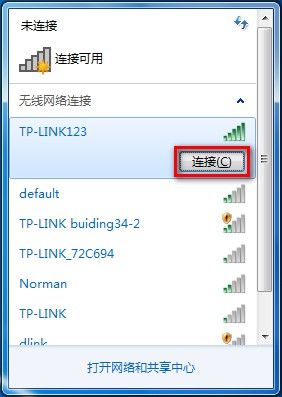
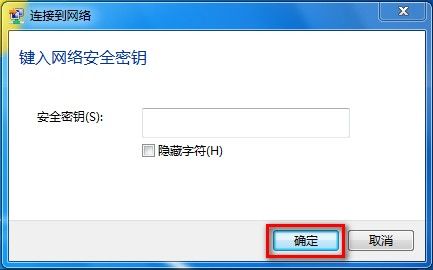
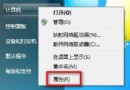
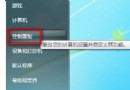
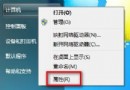
Win7 建立無線網路連線步驟:
註:可直接右下角無線圖示連線,更快捷。
磁碟重組加速五大絕招:關閉程式、調整參數、關閉螢幕保護、移動暫存檔、保留空間
電腦教室必學:巧妙移除螢幕保護程式保護硬碟壽命
IE 瀏覽器「離線工作」模式解除教學:恢復正常上網
電腦病毒危害與症狀深度解析:從直接破壞到心理恐懼的全方位影響
Windows 無法搜尋檔案?註冊表修復與三大替代方案
讓電腦開機更快的 15 招:從 BIOS 到虛擬記憶體全方位加速
系統當機未備份資料怎麼辦?三招應急救援方案讓資料起死回生
Regsvr32 終極活用手冊:修復 IE、Windows Update、縮圖、WMP、ZIP、腳本病毒等 13 大經典故障