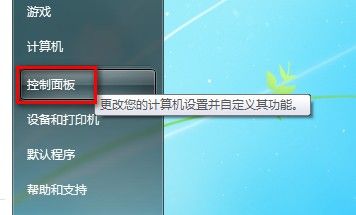
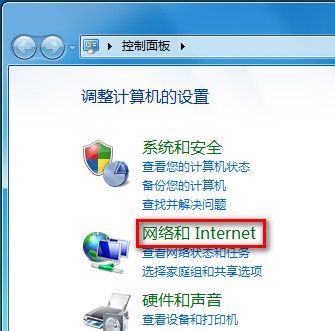
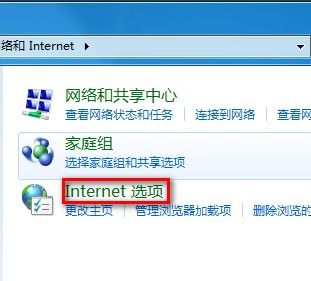
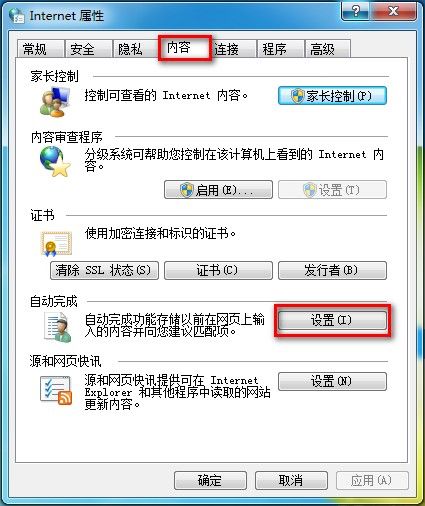
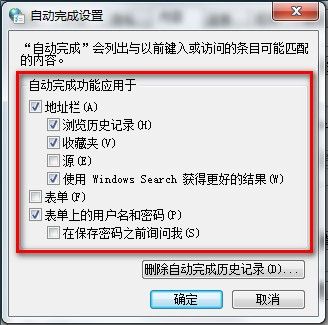
Win7 IE8 自動完成功能設定:
企業升級作業系統的最佳時機與策略:從 Windows 2000/XP 到 Longhorn 的過渡指南
DOS 指令收發 Email 實戰:Telnet 連線 POP3/SMTP 伺服器完整流程
Windows 安裝免輸入序號技巧總整理(Win98~Longhorn 通用)
雙擊磁碟機圖示無法開啟?三大類故障完整解決方案
自訂 Windows 資料夾圖示顏色與樣式:註冊表修改實戰教學
電腦軟體升級實戰指南:從 Windows 修補程式到自動化管理工具的完整策略
筆記本 WiFi 開關打不開?通用三步驟快速修復
USB 金鑰開機:插上專屬隨身碟才能啟動 Windows,防止他人偷用