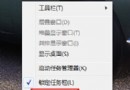
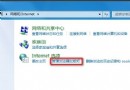
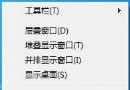
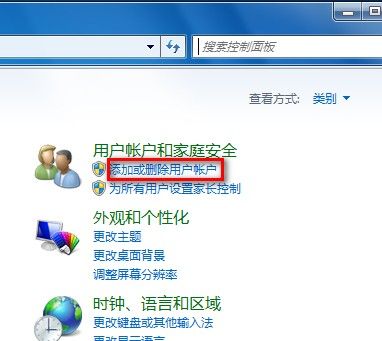
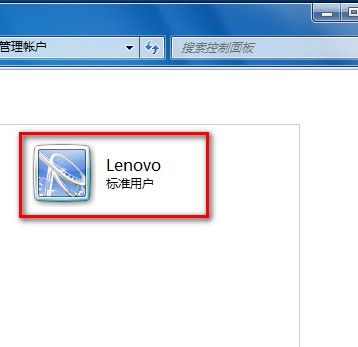
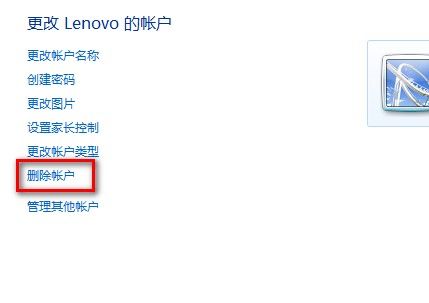
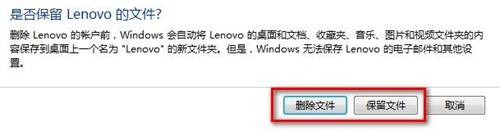
Windows 7 中刪除使用者帳戶的方法:
重要提醒:
FreeBSD 上運行 Windows 軟體:Wine 完整配置與實戰指南
Win7 設定 IE 彈出視窗攔截器例外網站:Alt+工具→彈出視窗攔截器設定→輸入網址→新增,或隱私權索引標籤同路徑進入
超星電子書轉 PDF 完整教學:Adobe Acrobat Distiller 實戰操作
工作管理員五大另類用法:隱藏桌面、手動調優先權、批次最小化、免登入切換使用者、發送訊息
為 NTFS/FAT 分區製作 NT 與 Win2k 開機軟碟:修復啟動區、MBR、NTLDR 遺失
Win7 設定允許程式通過防火牆:控制台→Windows 防火牆→允許程式或功能通過防火牆→勾選/取消勾選程式,或「允許執行另一程式」新增規則