Windows 8.1 Modern 應用 (全螢幕/分割螢幕) 預設隱藏傳統工作列。需快速切換桌面程式時,兩種原生方式即時喚出工作列,支援即時預覽縮圖。
方式一:鍵盤熱鍵 (最快、支援預覽)
- 按住 Win+T → 工作列從底部滑出,**停留在按鍵按住期間**,支援滑鼠懸停預覽各視窗縮圖。
- 釋放按鍵 → 工作列自動隱藏。
方式二:滑鼠底部懸停 (無需記憶熱鍵)
- 在 Modern 應用中,將滑鼠指標移至螢幕**最底部中央區域** → 靜止約 1 秒 → 工作列自動滑出。
- 滑鼠移開工作列區域 → 自動隱藏。
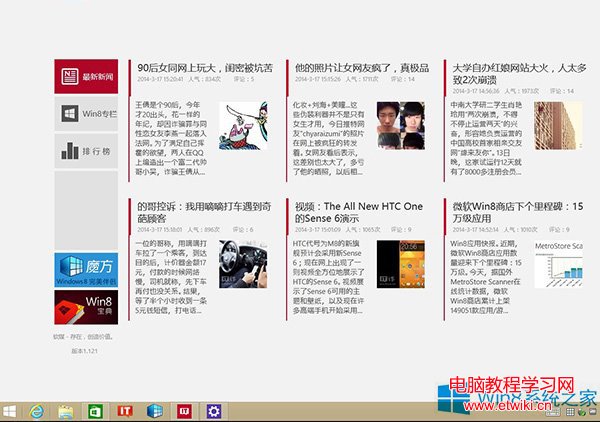
適用場景與補充
- 多工切換: Modern 應用 (如郵件/新聞) 快速跳轉桌面瀏覽器/Office/資料夾。
- 觸控裝置: 從螢幕底緣向上滑動 (Edge Swipe) 同樣喚出工作列。
- 工作列設定影響: 若工作列設為「自動隱藏」,喚出動畫更流暢;若鎖定顯示,桌面模式常駐,Modern 模式仍可喚出。
Win+T 熱鍵與底部懸停**雙模式覆蓋鍵盤/滑鼠/觸控習慣**,無需第三方工具,原生體驗最順暢。