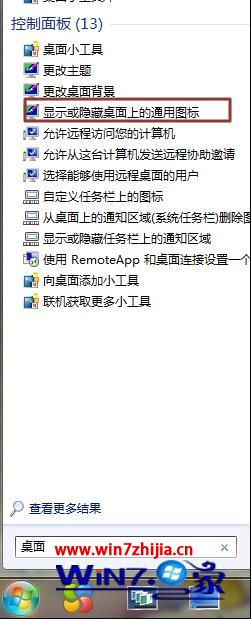
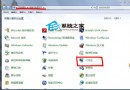
Windows 7/8 桌面預設顯示「電腦」圖示(即「我的電腦」),若不見了,可透過「桌面圖示設定」快速恢復,操作極簡單。
執行 rundll32.exe shell32.dll,Control_RunDLL desk.cpl,,0 直接開啟「桌面圖示設定」視窗。
rundll32.exe shell32.dll,Control_RunDLL desk.cpl,,0
Windows 10 內建放大鏡功能完整使用教學
Win10 無法玩《英雄聯盟》?三大解法:TGP 登入、官方修復工具、替換無 TP 保護主程式
Win10 開始選單/Cortana 嚴重錯誤無法工作?臨時解決方案與網友提供的 User Manager 服務修復法
Win10 一週年更新「設定」App 介面大改版:左側導覽列豐富化、搜尋上移、圖示化分類、工作列屬性整合
多系統獨立引導終極方案:XRLDR 實現 XP/7/PE 三系統互不干擾
Win10 任務列隱藏時鐘教學:三種方法自訂系統托盤
Windows 8 應用商店安裝路徑無法更改?登錄修改法自訂安裝目錄(需取得權限)
Win 7 旗艦版升級 Win 10 錯誤代碼 C1900107 解決方法:移除第三方安全軟體、更新驅動程式