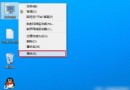
執行 shutdown -f -s -t 秒數 設定定時關機後,若需中途取消,在 CMD 輸入 shutdown -a 即可中止排程。
shutdown -f -s -t 秒數
shutdown -a
-s
-f
-t 秒數
-a
> shutdown -f -s -t 500
> shutdown -a   :: 取消上述排程
也可建立「取消關機」捷徑指向 shutdown.exe -a,未來一鍵中止。
shutdown.exe -a
Windows XP 系統內建掃雷遊戲誤刪怎麼恢復?輸入指令直接呼叫 winmine.exe
Windows 7 關閉視覺特效提升系統效能
Windows 7/8.1 停用「程式相容性助手」兩種方法:服務停用與群組原則
Win8.1 滑鼠與觸控板手勢失效?驅動重裝與安全模式排查教學
Windows Server 2008 R2 安裝 Intel 網卡驅動失敗「找不到 Intel PRO 介面卡」?手動提取 INF 檔安裝解決
Hyper-V / Win Server 2008 虛擬機安裝 64 位元作業系統完整圖文教學
修改登錄檔提升 Win7 任務列預覽切換速度:ThumbnailLivePreviewHoverTime 參數完整教學
Win10 桌面圖示不見了?三步驟找回「電腦」、「網路」等系統圖示