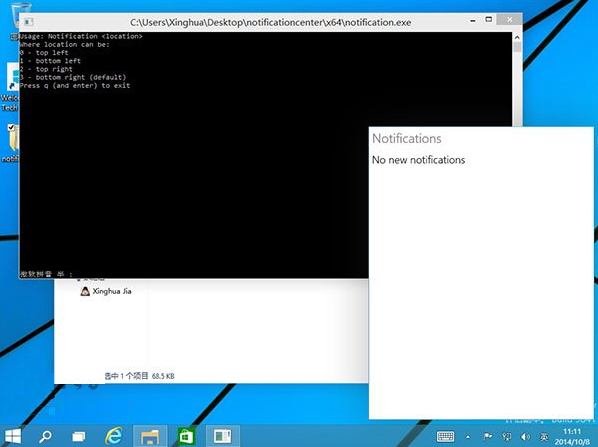
Windows 10 技術預覽版(Build 9841)雖內建通知中心程式碼,但預設隱藏未啟用。國外開發者釋出 notification.exe 可強制呼叫該功能,實測可顯示側邊通知面板,但目前僅能顯示部分系統訊息,尚無法接收完整 App 推播。
notification.exe。q 按 Enter。
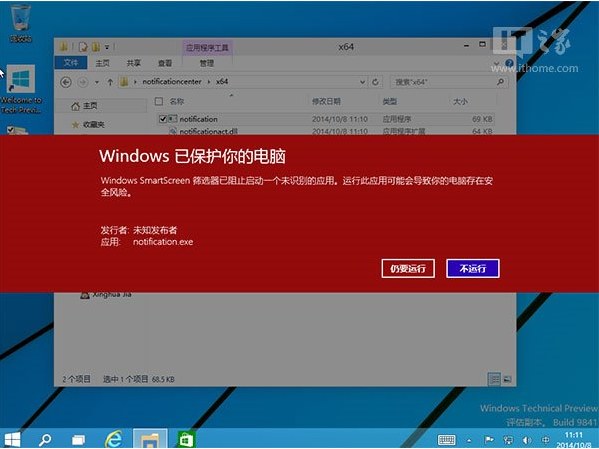
此為非官方手段,可能導致系統不穩定、功能異常或安全性風險。建議僅在測試環境/虛擬機嘗試,正式環境請靜待微軟官方更新啟用。
Windows Server 2016 Technical Preview 3 Build 10514 下周推送,桌面版 Windows 10 TH2 Insider 建置版有望同步釋出
Win10 10074 開始菜單打不開?安裝英文語言包 (KB3061055) 秒修復
Win10 永久啟用後如何備份啟用金鑰?重裝系統離線還原教學
Win10 14251 發現神秘 Linux 子系統檔案 (LXCore.sys/LXss.sys),暗示 Android 移植專案 Astoria 可能回歸
Win10 Edge 瀏覽器新增 WebM、VP9、Opus 支援,線上影音體驗再升級