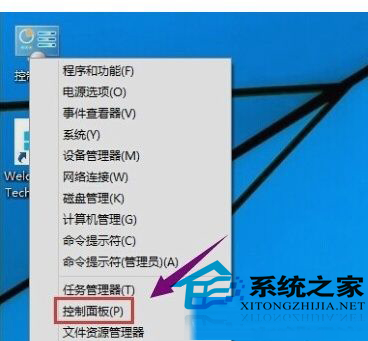
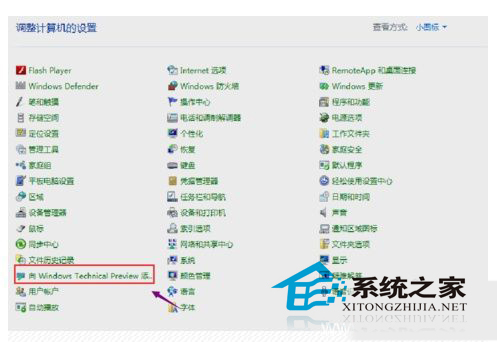
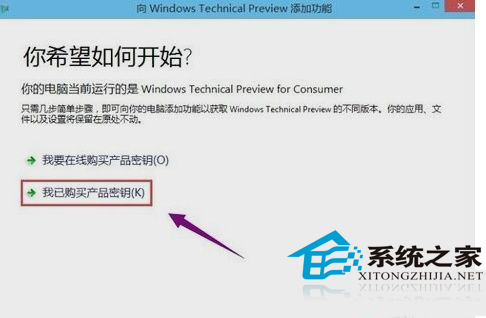
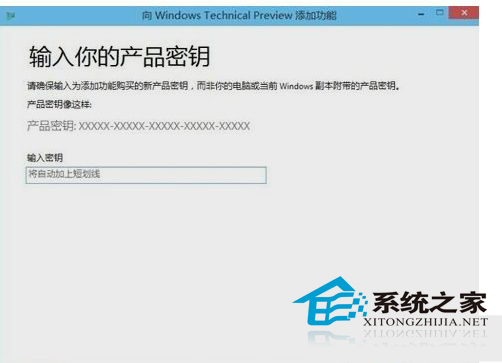
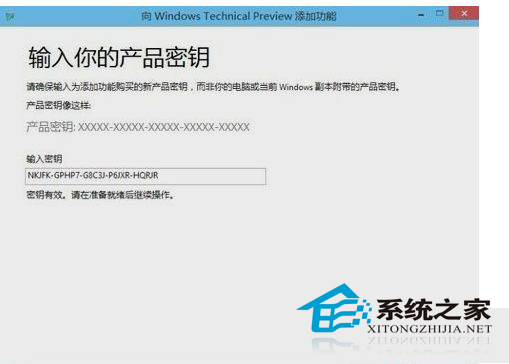
安裝 Win10 時若無金鑰可先用試用金鑰啟動,後續取得正式金鑰時,依下列步驟更換:
未啟用正版金鑰可能導致系統卡頓或功能受限,建議盡早更換正式金鑰。
Win7 筆電關閉觸控板教程:裝置管理員停用 PS/2 裝置、可選註冊表實現插入滑鼠自動關閉
Win10 Build 10074 VMware 11 虛擬機橋接模式無法上網?改用 NAT 模式配合網橋解決
Win10 Build 10036 新增 83 個新圖標 持續推進扁平化設計
Win8 安裝軟體提示「需系統管理員身分」?啟用內建 Administrator 帳號解決
Win10 Cortana 無法輸入中文?改用微軟拼音或下載 Win10 專版輸入法即可解決
Win8.1 更新錯誤 80246010 解決方案四則
WinXP進入桌面後黑屏幾秒?Intel顯卡驅動igfxpers啟動項衝突一鍵修復
Win10 內建管理員帳號被停用無法登入?PE 環境下利用 sethc.exe 替換法重啟管理員