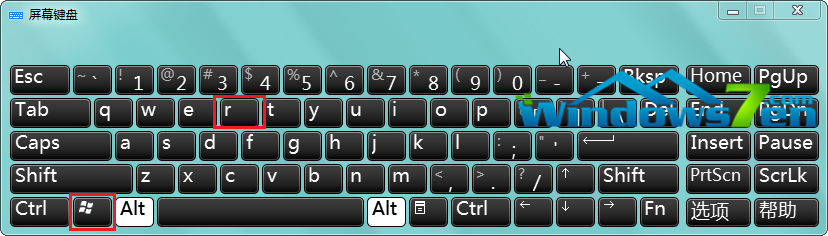
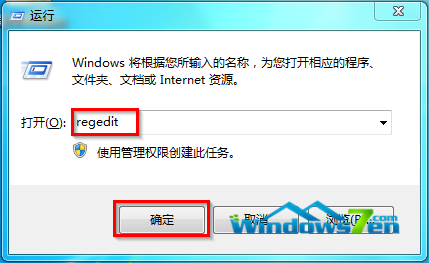
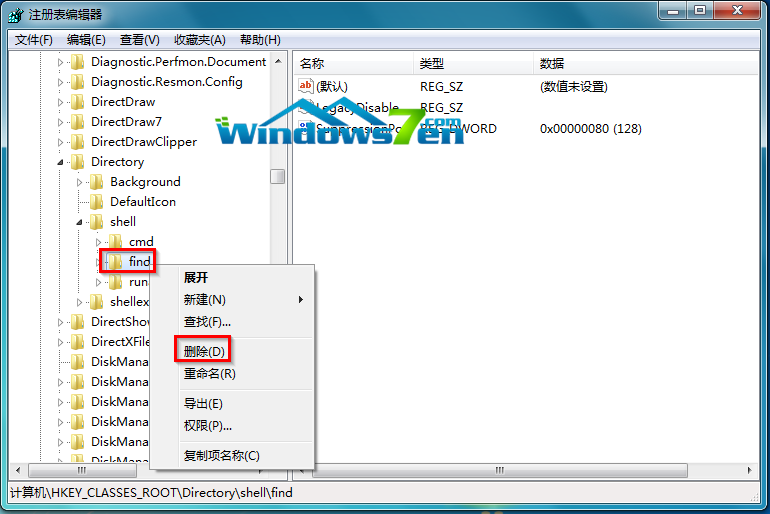
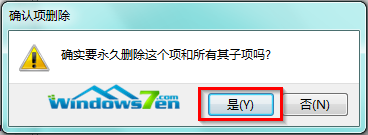
資源管理器中雙擊資料夾不開啟反而跳出搜尋視窗,通常是登錄 HKEY_CLASSES_ROOT\Directory\shell 下的 find 子鍵搶佔預設動作所致。刪除該子鍵即可恢復。
HKEY_CLASSES_ROOT\Directory\shell
find
regedit
shell
Win10 熱度太高引來詐騙!假冒微軟郵件夾帶比特幣勒索病毒
Win7 Ping DNS 顯示請求逾時?從實體線路到 DNS 伺服器完整排查指南
Win10 KB3124200 累積更新失敗 8024401a 錯誤解決:官方 MSU 離線安裝包下載
Windows 8 內建天氣應用程式:城市新增、預設位置、鎖定啟動畫面
Win8 執行程式提示「佔位程式接收到錯誤資料」?SFC 掃描修復 + 新建管理員帳號
Win10 Build 10547 新功能總覽:開始功能表、Edge、平板模式三大升級
Windows 10 正式版美國 Newegg 提前開賣:光碟版享 10 美元優惠
Windows 8/8.1 還原出廠設定完整教學:重置電腦保留或清除檔案