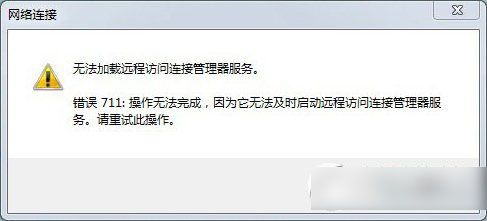
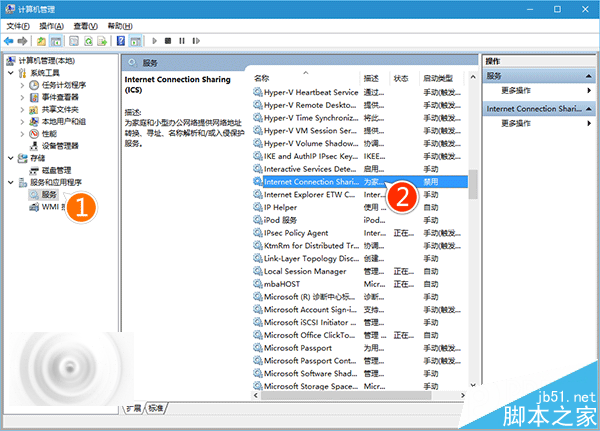
Win7 撥號出現錯誤 711,請依序嘗試:
services.msc
regedit
HKEY_LOCAL_MACHINE\SYSTEM\CurrentControlSet\services\eventlog
Parameters
▲ Win7 寬帶連線錯誤 711 畫面
Windows 10 Build 10240 專業版全新安裝與 KMS 啟用教學:批次檔自動化啟用流程
Windows 7 透過群組原則停用控制台防止他人更改設定
Win10 使用 QQ 語音視訊音量太小的兩種解決方法
Windows 7 合併或刪除網路位置:清理重複網路設定檔教學
Windows 7 使用命令提示字元快速建立/刪除環境變數
Win10 無法開啟 Office 2007?以系統管理員身分執行修復相容性問題
Windows 8 應用程式閃退、無法存取指定裝置路徑檔案?啟用內建管理員帳號與修正權限雙管齊下
Windows 8 關閉自動播放完整教學:控制台與群組原則雙重防護