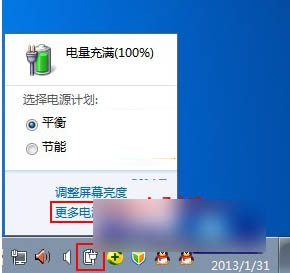
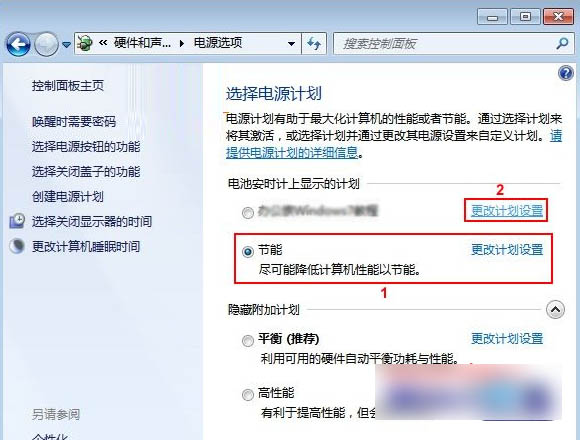
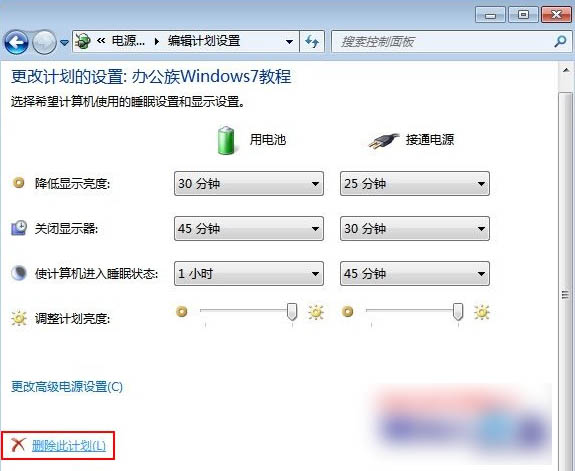
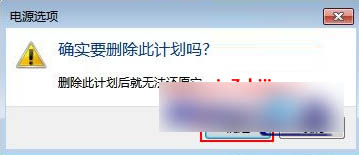
Windows 7 僅能刪除使用者自建的電源計畫,預設三組 (省電/平衡/高效能) 不可刪除。操作步驟:
Win10 預覽版 10166 自製中文 ISO 系統鏡像下載(64 位/32 位)
Win10 開機必須重啟才能輸入密碼?關閉快速啟動解決
Win8搜尋不到Wi-Fi訊號?一鍵開啟無線裝置開關與WLAN服務排查
Win10 開啟「電腦管理」三種方法:右鍵此電腦、檔案總管標籤、執行指令
Win8 如何開啟「開始選單」?五種方法找回傳統操作習慣
Win10 Cortana 小娜選單沒有「顯示搜尋框」選項?關閉小工作列按鈕即可恢復
Win8 開始功能表不見了?兩招快速找回經典選單
Win10 網卡驅動異常解決方案:系統自動修復 + 驅動人生網卡版離線安裝修復