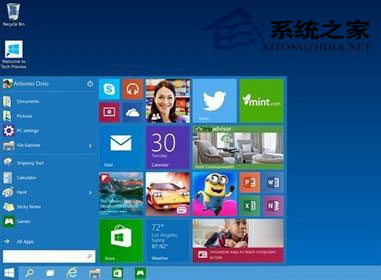
有使用者在 Windows 10 Technical Preview「新增功能」中輸入 Windows 8.1 產品金鑰,導致系統資訊顯示為「Windows 8.1 專業版含 Media Center」且狀態為「未啟用」。
Windows 正式版釋出後,免費升級機制為「從合法啟用的 Win7/8.1 透過 Windows Update 升級」,而非在新系統使用舊金鑰。Technical Preview 參與者正式版釋出後可直接升級,但仍需 Windows 10 專屬金鑰啟用。
Windows 10 關閉自動維護功能提升低配電腦效能
Win8.1 開機卡在「請稍候」無法進入系統?四種解決方案
變更 Win8.1 SkyDrive 預設同步儲存位置,避免系統盤暴滿
Win10 內建「步驟記錄器」完整教學:一鍵產生帶截圖的操作文件
Win7 誤刪 sam 檔案導致系統無法啟動?USB 開機進入 PE 還原 RegBack 備份解決
Win10 使用 Excel 2010 移除圖片背景:內建「移除背景」工具三步驟完成
Windows 10 Mobile 正式版不會隨 PC 版同步上市:Joe Belfiore 確認秋季釋出
Win7 螢幕閃一下變黑再亮?三大可能原因:顯卡驅動、顯示晶片、螢幕硬體故障排查