Windows XP Windows 7 Windows 2003 Windows Vista Windows 綜合教學 Linux 系統教學
Windows 10 Windows 8 Windows 2008 Windows NT Windows Server 電腦軟體教學
您现在的位置: Windows教程網 >> Windows教程 >  >> Windows 綜合教學 >> 關於 Windows

Win7/Win8 開機黑屏錯誤 0xc0000025:BCD 損壞修復四大方案(BOOTICE、bcdedit、chkdsk、重裝)

編輯:關於 Windows

Windows 開機報錯 0xc0000025(File: \Windows\system32\winload.exe),85% 以上為 BCD(開機設定資料)遺失或損壞。提供四階段遞進修復方案。

錯誤資訊

Windows failed to start...
File: \Windows\system32\winload.exe
Status: 0xc0000225
Info: The selected entry could not be loaded because the application is missing or corrupt.

BCD 簡介

BCD = Boot Configuration Data,Vista/Win7/8/10 多重開機引導核心資料庫,由 bootmgr 讀取呈現開機選單。可用 bcdedit.exe 或圖形化工具(BOOTICE)編輯。

修復方案(按成功率排序)

  1. 重建 BCD(BOOTICE 圖形化,推薦):
    下載 BOOTICE 1.3.2+,選擇系統分區 →「備份/還原 BCD」→「重建 BCD」→ 依提示完成。
  2. 手動編輯 BCD(bcdedit 指令):
    PE 環境下執行 bcdedit /enum all 檢視,bcdedit /create 重建項目,bcdedit /set 修正裝置路徑。
  3. 修復檔案系統錯誤(chkdsk):
    PE CMD 執行 chkdsk C: /f /r 修正磁碟邏輯錯誤,若 BCD 損壞源於檔案系統錯誤此法可根治。本案例即由此法解決。

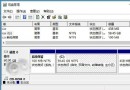
  4. 重新安裝系統:以上均無效時的最終手段。

操作建議

  • 優先製作 WinPE USB(含 BOOTICE、chkdsk),隨身攜帶應急。
  • 定期備份 BCD(BOOTICE → 備份 BCD),損壞時秒級還原。
  • 避免使用不明優化工具修改開機設定。
Copyright © Windows教程網 All Rights Reserved