Windows XP Windows 7 Windows 2003 Windows Vista Windows 綜合教學 Linux 系統教學
Windows 10 Windows 8 Windows 2008 Windows NT Windows Server 電腦軟體教學
您现在的位置: Windows教程網 >> Windows教程 >  >> Windows 綜合教學 >> 關於 Windows

Win10 64位系統出現 0x80070643 錯誤代碼?DISM 離線安裝補丁包解決方案

編輯:關於 Windows

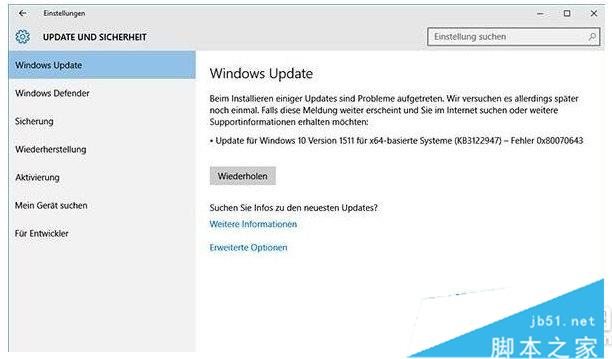
升級 Win10 64 位系統的用戶可能遇到錯誤代碼 0x80070643。本文提供透過命令提示字元使用 DISM 指令離線安裝補丁包的解決方案。
解決步驟

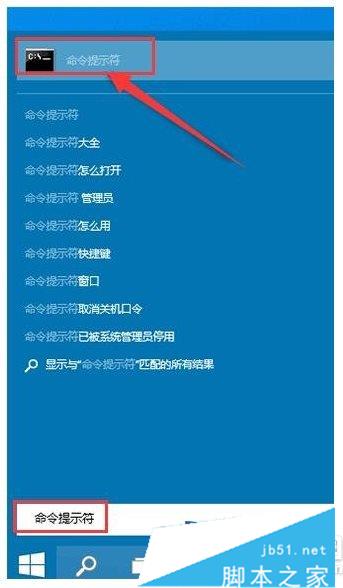
  1. 開始選單搜尋「命令提示字元」並開啟。
  2. 在命令提示字元中輸入以下指令並按 Enter:
    dism /online /add-package /packagepath:C:\Windows\SoftwareDistribution\Download\c4a1b8896ce9fbfea96c1ee6890d52a5\windows10.0-kb3122947-x64.cab
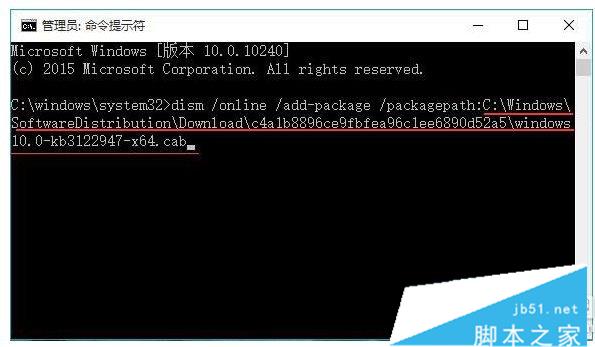
注意:上述指令適用於 64 位系統。若為 32 位系統,請開啟 Download 資料夾,依更新時間確認補丁檔案路徑,將 packagepath 後的字串修改為實際補丁下載路徑後執行。

執行完成後重新開機,錯誤代碼 0x80070643 應可解決。

Copyright © Windows教程網 All Rights Reserved