Windows XP Windows 7 Windows 2003 Windows Vista Windows 綜合教學 Linux 系統教學
Windows 10 Windows 8 Windows 2008 Windows NT Windows Server 電腦軟體教學
您现在的位置: Windows教程網 >> Windows教程 >  >> Windows 綜合教學 >> 關於 Windows

WinXP 主題變成經典模式找不回 XP 風格?啟用 Themes 服務與視覺效果

編輯:關於 Windows

桌面右鍵「內容」→「主題」下拉選單找不到「Windows XP」,通常是 Themes 服務未啟動或視覺效果設定錯誤。

第一步:啟用 Themes 服務

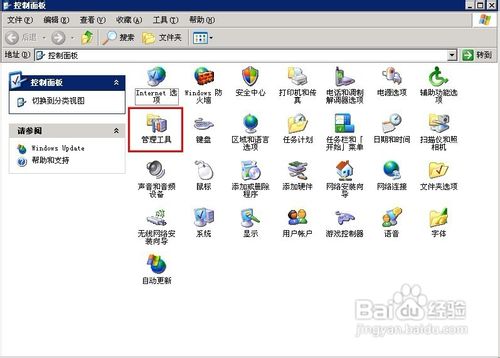
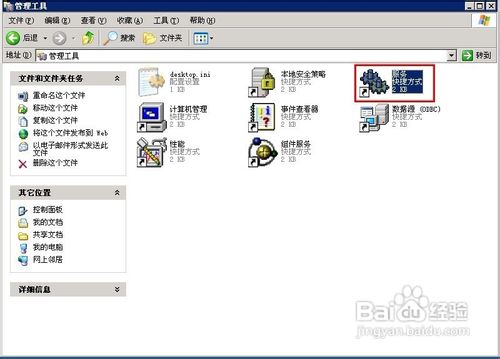
  1. 「控制台」→「系統管理工具」→「服務」。
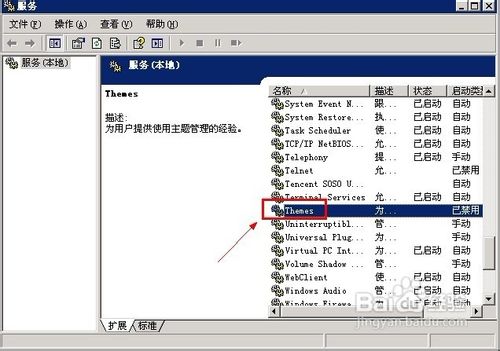
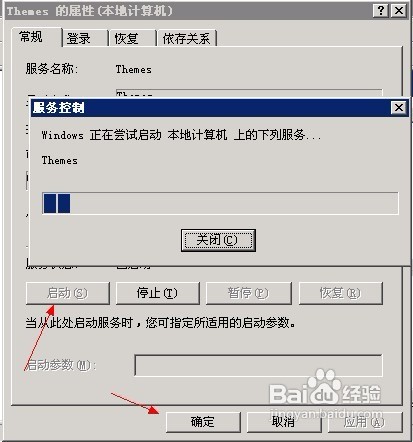
  2. 找到「Themes」,雙擊開啟。
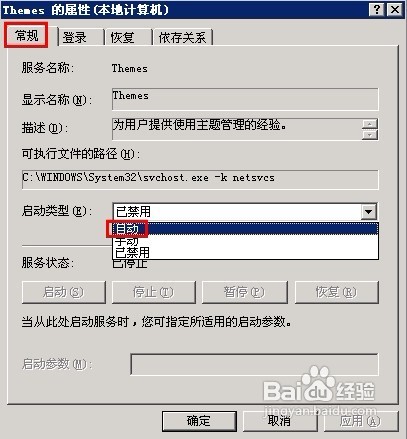
  3. 「啟動類型」改「自動」→ 「套用」→ 「啟動」→ 「確定」。

第二步:調整視覺效果

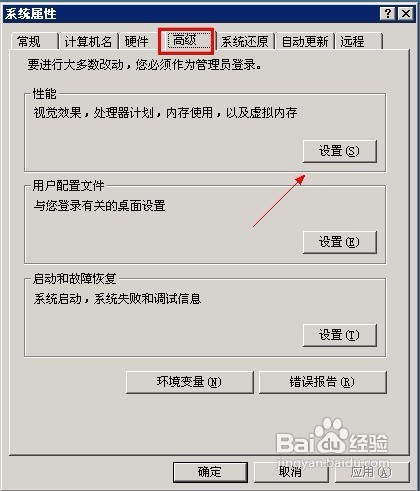
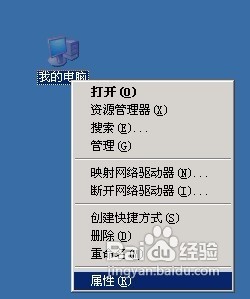
  1. 「我的電腦」右鍵「內容」→「進階」→ 效能「設定」。
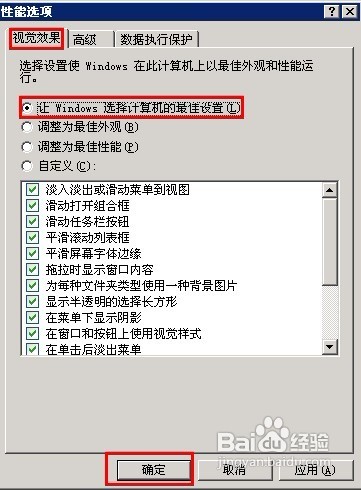
  2. 「視覺效果」索引標籤選「讓 Windows 選擇電腦的最佳設定」→ 「確定」。
完成後重開「主題」下拉選單,「Windows XP」風格即會重現。

Copyright © Windows教程網 All Rights Reserved