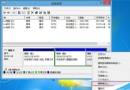
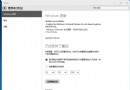
Windows 預設會透過「安全性中心」彈出防火牆關閉、自動更新未開啟等警示,關閉後仍持續彈出干擾。徹底停用方法:Win+R services.msc → 找到 Security Center → 右鍵「內容」 → 啟動類型設為「停用」 → 確定。接著控制台開啟「Windows 防火牆」將所有網路位置防火牆全部關閉。即可杜絕安全性中心警示彈窗。
操作步驟
- Win+R 輸入
services.msc → Enter。
- 找到 Security Center → 右鍵「內容」。
- 啟動類型選 「停用」 → 確定。
- 控制台 → 「Windows 防火牆」 → 「開啟或關閉 Windows 防火牆」 → 所有網路位置選「關閉 Windows 防火牆」 → 確定。
注意事項
- 停用安全性中心與防火牆會降低系統防護能力,僅建議在離線環境、虛擬機器、或已部署第三方完整安全套件(含防火牆、防毒、HIPS)的電腦上操作。
- 一般使用者建議保持開啟,並妥善設定防火牆例外與自動更新。