Windows XP Windows 7 Windows 2003 Windows Vista Windows 綜合教學 Linux 系統教學
Windows 10 Windows 8 Windows 2008 Windows NT Windows Server 電腦軟體教學
您现在的位置: Windows教程網 >> Windows教程 >  >> Windows 綜合教學 >> 關於 Windows

Win7 使用 CMD 指令刪除 Windows.old 舊系統資料夾釋放磁碟空間

編輯:關於 Windows

Windows 7 升級安裝或重新安裝時若未格式化分區,會產生 Windows.old 資料夾保留舊系統檔案,佔用大量 C 磁碟空間(常達 10-20 GB)。透過管理員權限 CMD 執行 rd /s /q 指令可強制刪除。

操作步驟

  1. 「開始」→ 搜尋 cmd → 右鍵「以系統管理員身分執行」。
  2. 在命令提示字元輸入以下指令任一條(視實際資料夾名稱):
    rd /s /q C:\Windows.old
    或
    rd /s /q C:\$Windows.old
  3. 提示確認時輸入 Y 按 Enter,靜默刪除所有檔案與子資料夾。

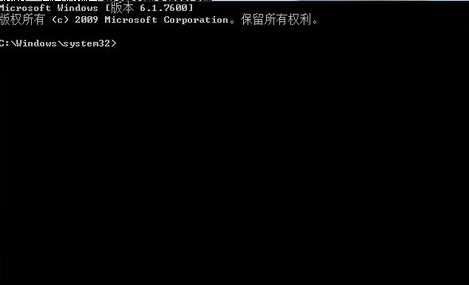
管理員命令提示字元

參數說明

  • /s:刪除指定目錄及其所有子目錄與檔案(遞迴)。
  • /q:安靜模式,不逐一確認每個檔案刪除(配合 /s 使用)。

替代圖形化方法(較安全、無需指令)

  1. 「電腦」→ C 磁碟右鍵 → 「內容」 → 「磁碟清理」。
  2. 點擊「清理系統檔案」 → 勾選「之前的 Windows 安裝」 → 「確定」。

此法會自動處理權限、遞迴刪除,且提供空間回收預估,建議一般使用者優先使用。

注意事項

  • 刪除 Windows.old 後無法透過「回復」功能還原至舊版 Windows,確認新系統穩定後再執行。

  • 若刪除失敗提示「存取被拒絕」,請確認以管理員身分執行 CMD,或使用磁碟清理工具。
Copyright © Windows教程網 All Rights Reserved