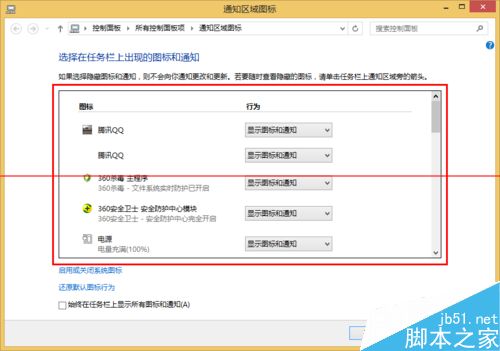
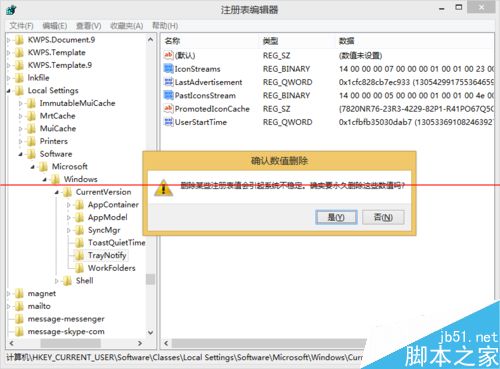
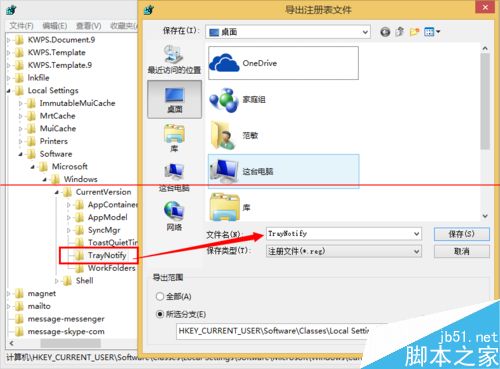
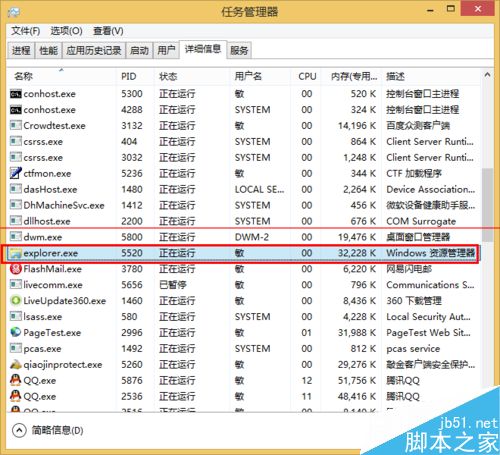
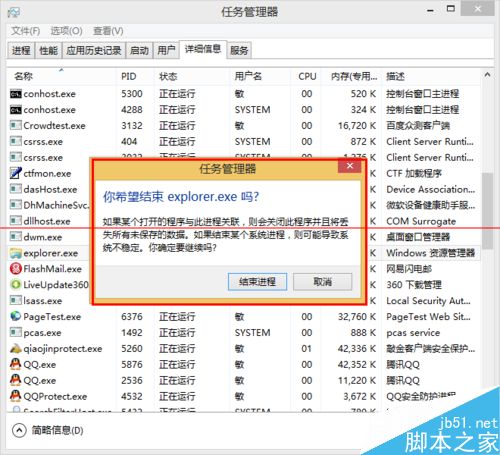
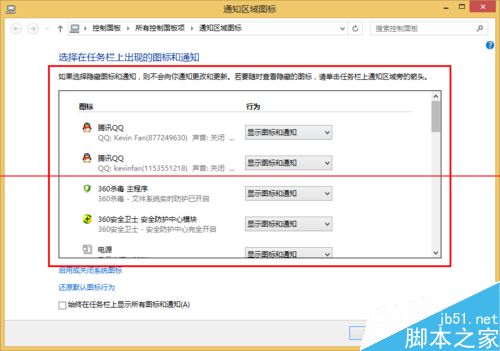
任務列通知區域殘留已解除安裝程式的圖示,徹底清除步驟:
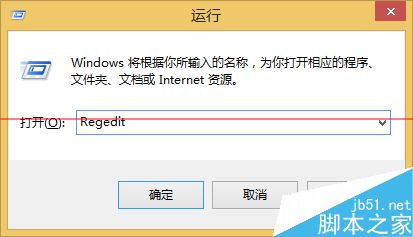
regedit
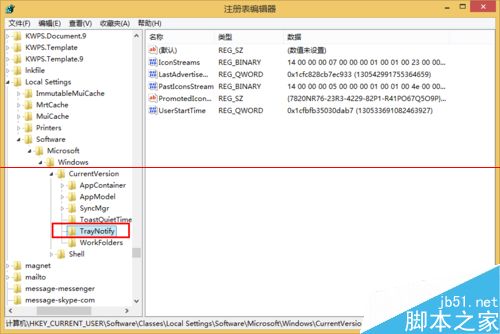
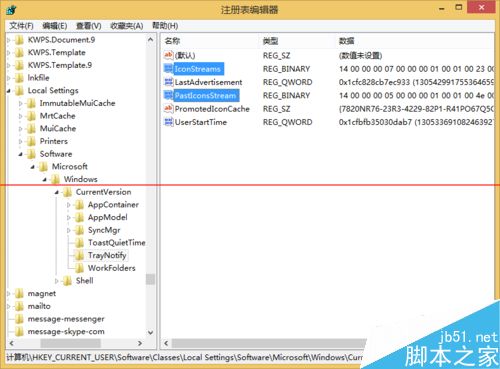
HKEY_CURRENT_USER\Software\Classes\Local Settings\Software\Microsoft\Windows\CurrentVersion\TrayNotify
explorer.exe
explorer
此法適用 Win7/8/10,清除後系統會重新建立乾淨的圖示快取。
Win10 VC++ 2012 更新 KB3119142 陷入無限安裝迴圈?官方尚無對策,暫時隱藏更新避坑
Windows 8 磁碟健康狀態四種模式:線上健康、需點檢、需掃描、需修復
微軟重申 Win10 隱私權政策:三大原則守護用戶數據,承諾不掃描郵件/通訊/個人檔案投放廣告
Win10 Mobile 預覽版 10512 升級畫面曝光 版本號 10.0.10512.1000
Win7 Word/Excel 隱藏 Ctrl 貼上選項按鈕?選項中取消勾選即可
Win10 系統如何查看啟用狀態?三種方法快速確認授權狀態
Windows 10 自動更新導致顯卡與第三方驅動出錯 深度分析與解決方案
Windows依連接埠反查服務進程:netstat + 任務管理器 PID 關聯實戰教學