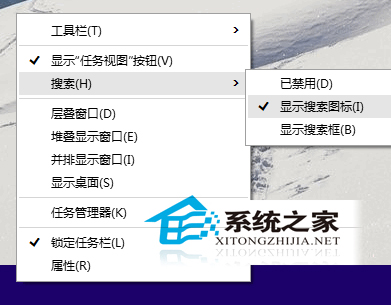
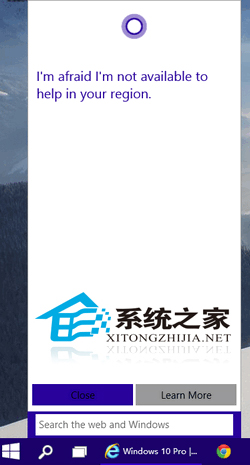
Cortana 搜尋框佔據工作列大量空間,兩種調整方式:
Cortana 基於機器學習與雲端分析,能理解語意脈絡、記錄使用習慣,非單純問答機器人。若暫不需語音助理,建議改為圖示模式兼顧美觀與功能。
Windows 7 安裝時避免產生 100MB 系統保留分區
Windows 10 RTM 時程表曝光:最終版鎖定 7 月 24 日完成
Win10 14352 應用程式商店消失?建立英文本地帳戶找回商店
Windows 8 C 槽無法重新命名?登錄檔 DriveIcons 強制設定磁碟標籤
Win10 如何關閉補丁自動更新?僅限按流量計費連線可完整關閉
阻止 Win7/Win8.1 自動下載 Win10 安裝檔的三大最完整方法
Win10 還原至 Win7/Win8.1 完整指南:30 天內一鍵回滾、超過期限乾淨安裝法
Win10 開發者模式五步開啟:安裝非商店應用、側載測試 UWP 程式