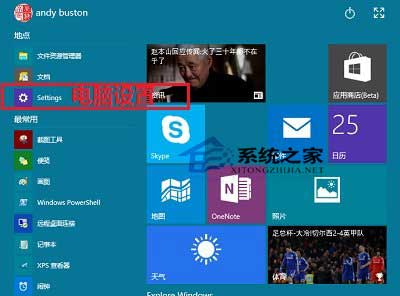
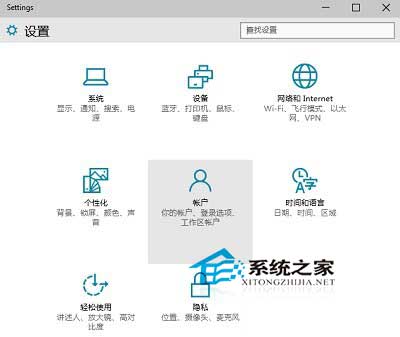
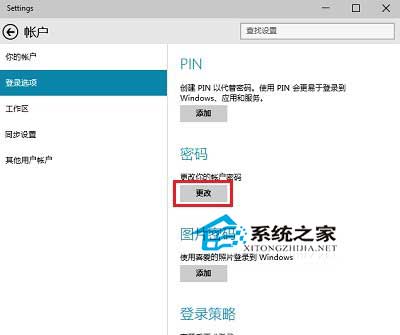
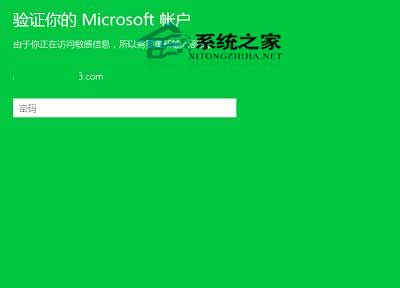
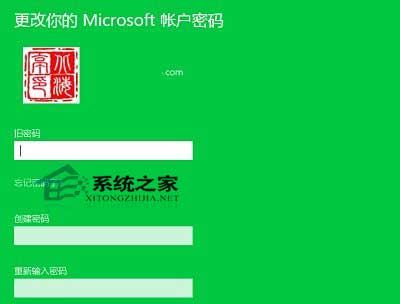
使用 Microsoft 帳號登入 Win10 時,修改密碼會同步至微軟雲端:
若使用本地帳號,請參考《Win10 修改使用者密碼的方法》。
Windows 7/8/10 「造字程序」改名「私用字元編輯程序」:一鍵搜尋啟用教學
Win10 檔案總管導覽窗格「快速存取」不見了?檢視→導覽窗格→勾選「顯示快速存取」秒回來
華碩/聯想筆記本 Win10 改 Win7 BIOS 設置全攻略:UEFI→Legacy、GPT→MBR 圖文詳解
Win7 藍屏 0x000000A 完整分析:驅動/硬體衝突、BIOS 更新、最後正確配置五大解法
Win 8.1 修復不可用 Flash Player 外掛步驟:覆蓋系統檔案並註冊 OCX
Win7 建立寬頻連線捷徑完整圖文教學
DiskGenius 建立分區完整指南:主/延伸/邏輯分區、4K 對齊、GPT 屬性與無損分割現有分區
Win7 關閉/調整 UAC 使用者帳號控制:系統設定 / msconfig / 直接執行指令三法