Windows XP Windows 7 Windows 2003 Windows Vista Windows 綜合教學 Linux 系統教學
Windows 10 Windows 8 Windows 2008 Windows NT Windows Server 電腦軟體教學
您现在的位置: Windows教程網 >> Windows教程 >  >> Windows 綜合教學 >> 關於 Windows

Win7 徹底關閉虛擬記憶體完整圖文步驟

編輯:關於 Windows

大記憶體 (16GB 以上) 系統可關閉虛擬記憶體以釋放磁碟空間,但需謹慎評估:

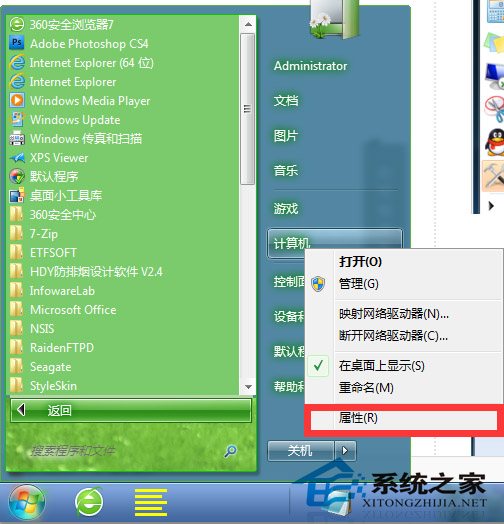
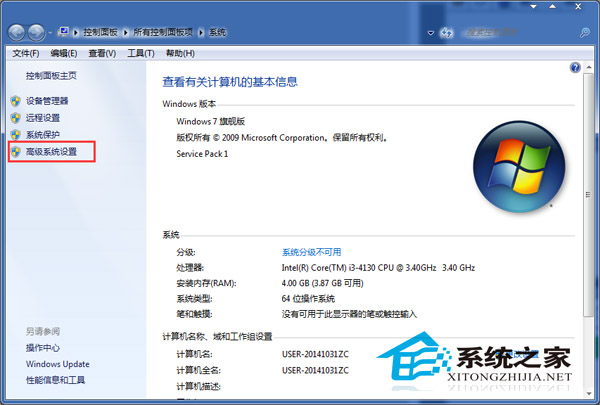
  1. 右鍵「電腦」→「內容」→ 左側「進階系統設定」。
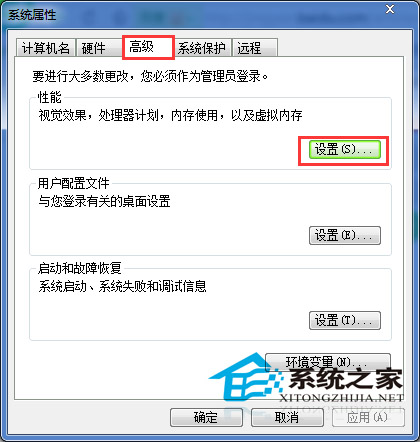
  2. 「進階」索引標籤 → 「效能」區塊「設定」。
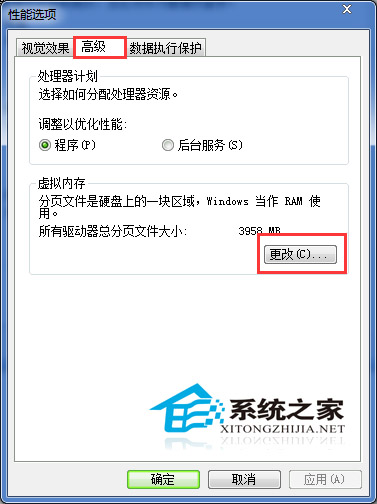
  3. 「進階」索引標籤 → 「虛擬記憶體」區塊「變更」。
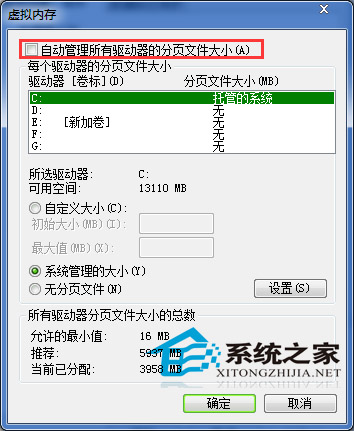
  4. 取消勾選「自動管理所有磁碟分頁檔案大小」。
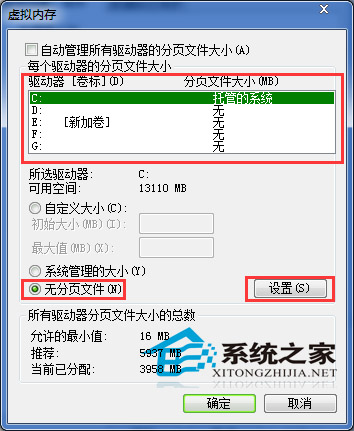
  5. 逐一選取磁碟 → 選「無分頁檔案」→「設定」。
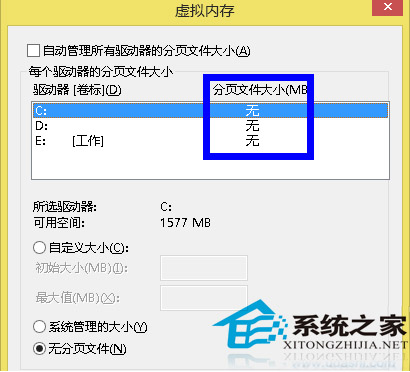
  6. 確認警告對話框選「是」,直到所有磁碟顯示「無」。
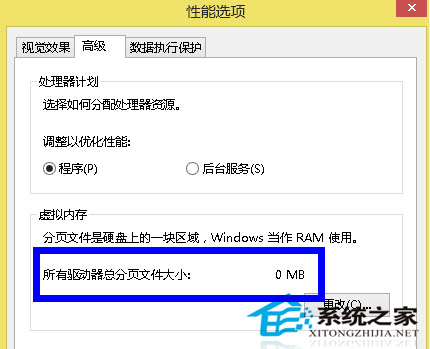
  7. 按「確定」套用,重新開機生效。

建議:若常玩大型遊戲或執行記憶體密集型應用,請保留適量虛擬記憶體 (如 1-2 GB) 以防不足導致當機。

Copyright © Windows教程網 All Rights Reserved