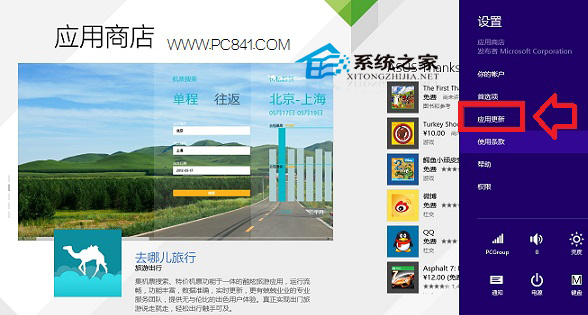
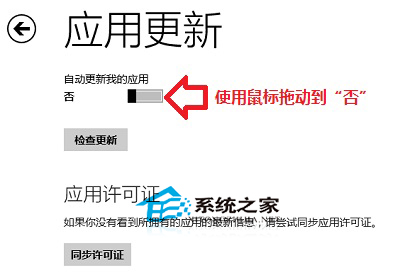
Win8 預設自動更新 Metro 應用,若想手動控制更新時機可關閉。
關閉後需自行至商店檢查更新,適合頻寬有限或偏好穩定版本用戶。
Win10 10576 版 disksnapshot.exe 定時彈出 CMD 視窗解決:停用排程任務
Win7 IE10 無法開啟支付寶/淘寶?加入信任網站即可解決
Win10 攝影機錯誤 0xA00F4273 解決方案:驅動人生一鍵修復攝像頭無影像
Win8 升級後 IE 無法開啟?執行 netsh winsock reset 重置網路目錄即可修復
Win7 修改網卡 MAC 位址(實體位址)繞過網路綁定限制
Win10 開機必須重啟才能輸入密碼?關閉快速啟動解決
Win10 Mobile 正式版官方亮點影片曝光:開始畫面、小娜、Edge 移動版全示範,12 月推送鎖定 10586
Win7 系統下 RAR 壓縮檔損壞如何修復?完整教學與步驟解析