CRT 螢幕重新整理率過低會抖動,Win8 調整路徑:
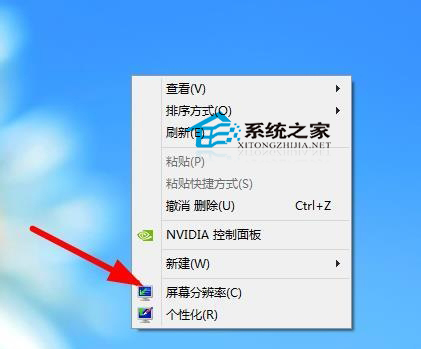
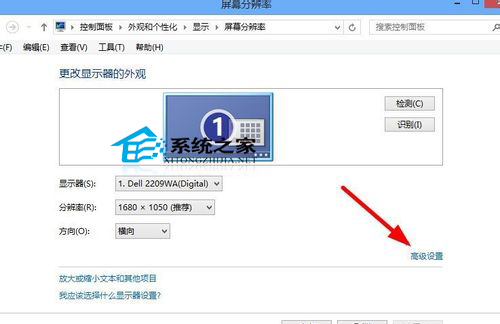
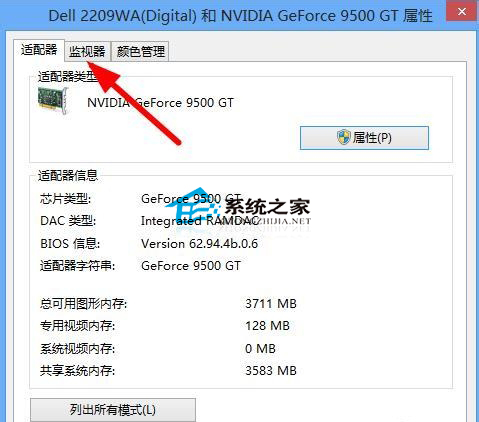
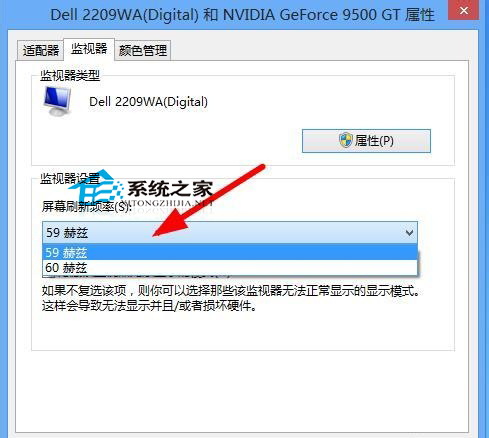
現代 LED/LCD 螢幕固定 60 Hz,無需調整。僅 CRT 或特定專業螢幕需手動設定。
關閉 Windows 安全中心提示:服務管理員停用 Security Center 服務
Windows 10 自訂關機音效:替換 C:\Windows\Media\Windows 關機.wav (需 <50KB)
Win10 Mobile 預覽版 14356 如何啟用 PC 通知同步?Cortana 跨裝置體驗完整教學
Windows 7 安裝 IE10 失敗?移除預覽版更新後重新安裝教學
Windows 記憶體診斷工具使用教學:快速偵測記憶體條故障導致的藍屏、重開機
Win10 累積更新 KB3206309 推送至 Build 14986.1001,內容神秘疑與 Windows Defender 相關