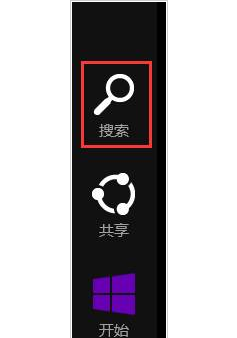
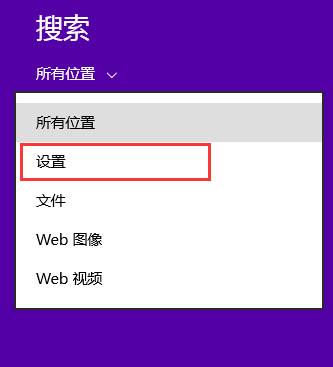
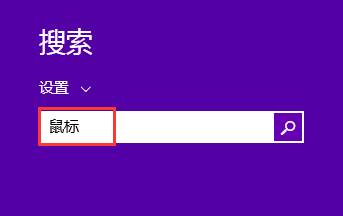
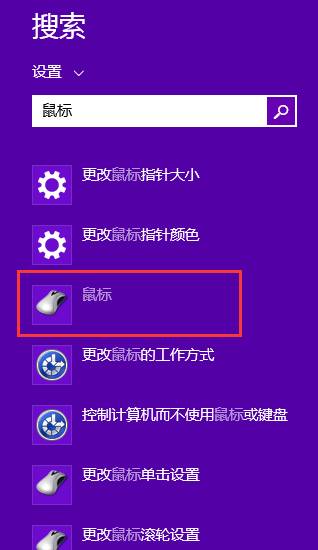
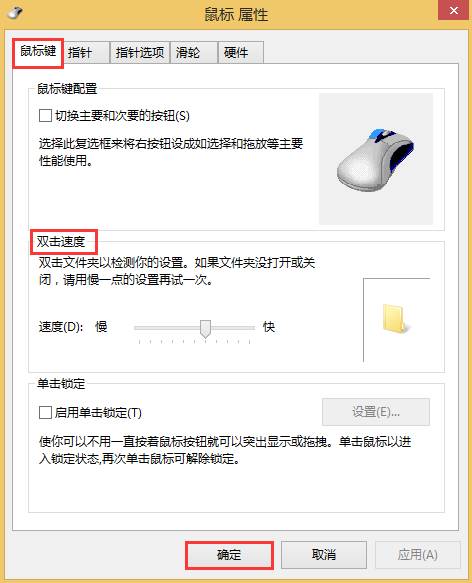
Win8 可自訂滑鼠雙擊速度,適應不同使用習慣。
調整至舒適速度,減少誤觸或反應遲鈍。
Win7 找不到攝影機?三種喚醒內建攝影機的完整解決方案
如何使用 U啟動 Win8PE 系統備份電腦驅動程式完整圖文教學
Win7 瀏覽器提示「網站無法顯示該網頁」?IE 設定與 IIS 除錯兩大方向
Win7 移除捷徑盾牌圖示:降低 UAC 至「從不通知」
Win7 如何設定 Proxy 代理伺服器?Internet 選項 → 區域網路設定 → 進階代理設定圖文教學
Win10 CMD 命令提示字元編輯/選取/歷史/搜尋快速鍵完整表
Win10 禁用驅動程式強制簽名:進階啟動選單與 BCDEdit 兩大法
Win10 正式版/預覽版「照片」App 內建影片播放與裁剪:右鍵開啟方式選照片即用