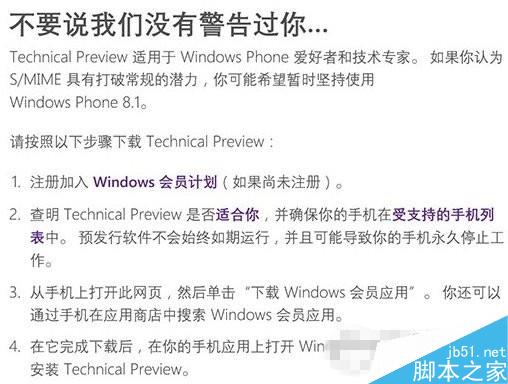
微軟啟動 Win10 Mobile 預覽版推送,首批機型僅 6 款中低階 Lumia (630/635/636/638/730/830),無國行、無旗艦。安裝前提:① 註冊 Insider 會員;② 確認機型在列;③ 手機瀏覽官網下載 Windows Insider App 或商店搜尋;④ App 內安裝 Technical Preview。微軟強調預覽版可能導致手機永久停止運作,謹慎評估後再行動。
若官方未推送更新,說明尚未就緒,切勿強刷。保護裝置安全優先。
阻止 Internet Explorer 自動升級至 IE10(登錄封鎖法)
Win10 預覽版升級正式版教程:微軟確認自動升級,無需預約
Win7 會聲會影輸出高畫質 MP4 (1920×1080) 完整圖文教學
正版 Win7 免費預約升級 Win10 圖文教學:GWX 圖示操作、相容性檢查、預約確認完整流程
Windows 8 Metro 介面啟用「以其他使用者身分執行」:群組原則新增右鍵選單指令
Win7 如何查詢連接埠號?CMD 指令 netstat -na 一鍵列出所有連接埠狀態
Windows 10 螢幕鍵盤啟用完整教學:鍵盤故障時的最佳應急輸入法
Windows 10 最終硬體需求公布:幾年前的舊電腦也能輕鬆跑