桌面模式下 Shift+右鍵可「以其他使用者身分執行」,但 Metro 介面應用右鍵無此選項。透過群組原則可為 Metro 應用啟用此功能。
gpedit.msc。使用者設定 → 系統管理範本 → 開始功能表和工作列 → 在「開始」中顯示「以其他使用者身分執行」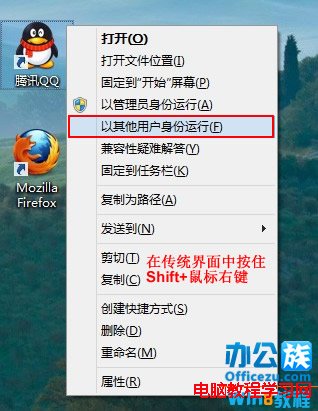

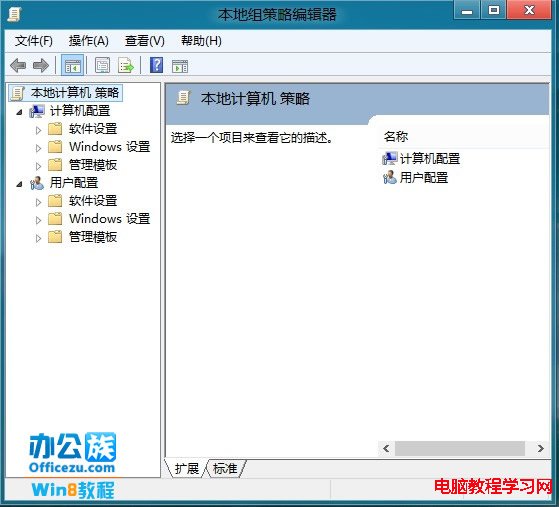

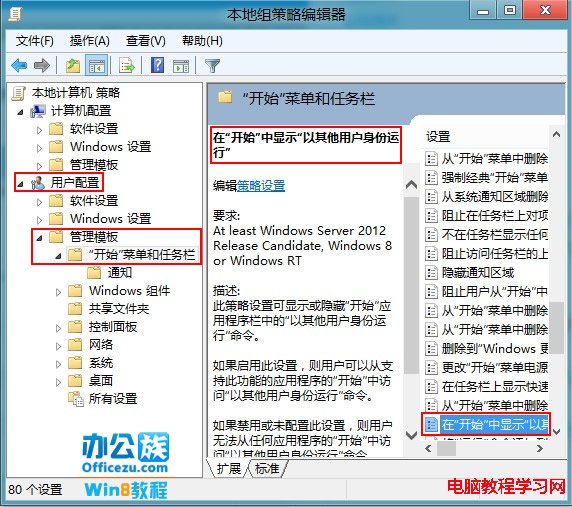

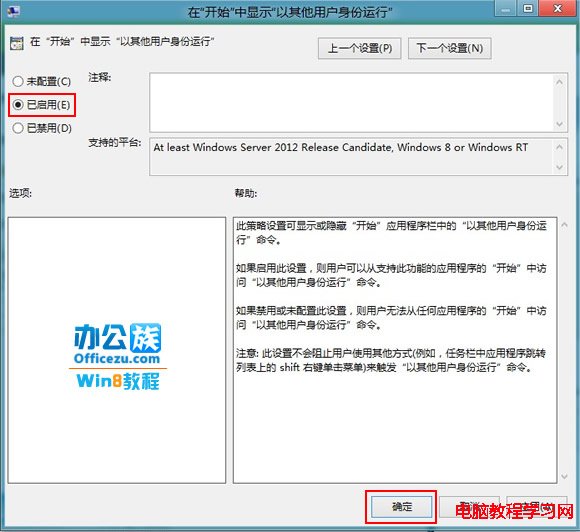

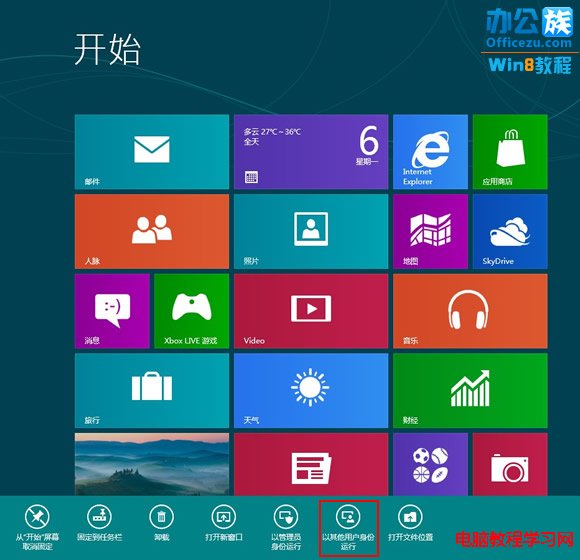
此功能方便管理員在標準使用者環境下以提權身分執行 Metro 應用進行維護。
Win10 自訂鎖定畫面圖片:設定→裝置→鎖定畫面→瀏覽上傳
Win10 如何跳過開機「歡迎使用」畫面?本機群組原則一鍵關閉
Win10 突破解析度底線:可在 1024×600 上網本運行,Win8.1 門檻為 1024×768
Windows 7 環境下使用 GHOST 還原 Windows XP 系統詳解
Office Mobile Win10 PC 版釋出:Word、Excel、PowerPoint、OneNote 更新下載,Outlook 郵件行事曆等同步更新
Win10 如何用指令實現定時關機/取消關機?無需第三方軟體