Win7 預設虛擬記憶體 (分頁檔) 放在 C 構,可能影響效能。調整位置與大小:
操作路徑
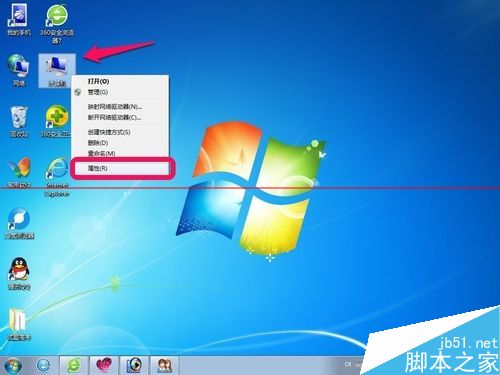
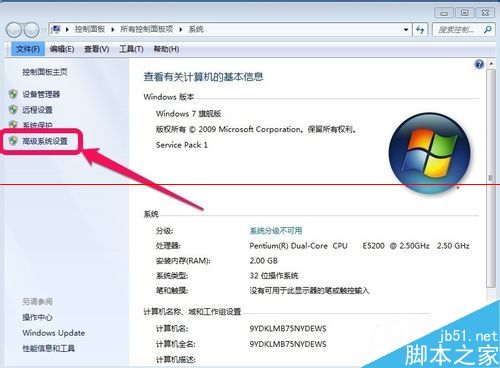
- 右鍵「電腦」→「內容」→「進階系統設定」。
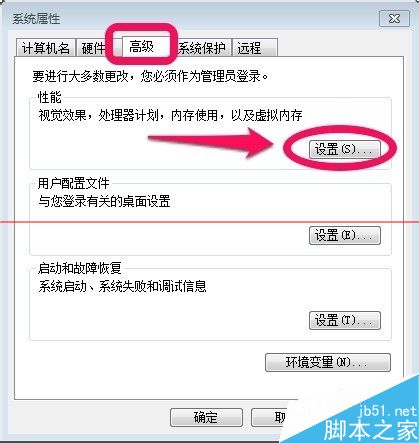
- 「進階」分頁 → 「效能」→「設定」。
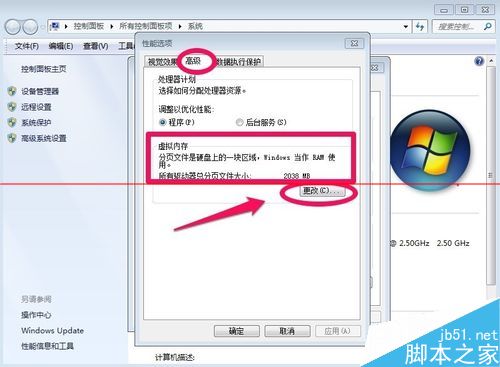
- 「進階」→「虛擬記憶體」→「變更」。
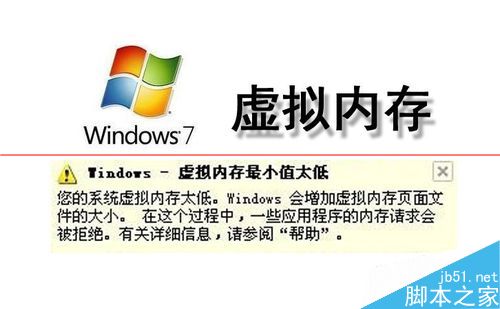
建議設定
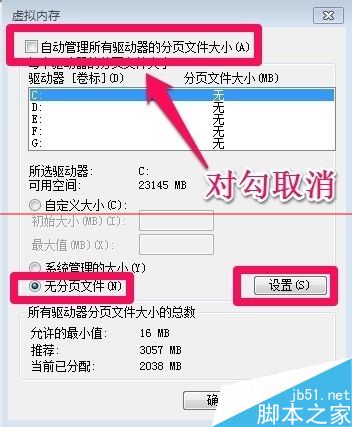
- 取消勾選「自動管理所有磁碟機分頁檔大小」。
- 選 C 構 → 「無分頁檔」 → 「設定」。
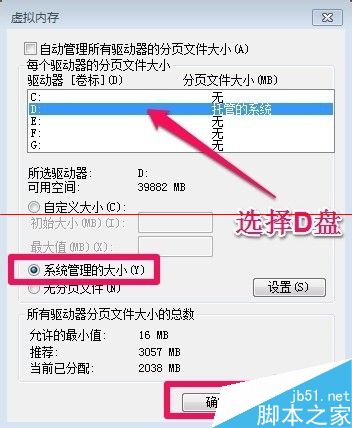
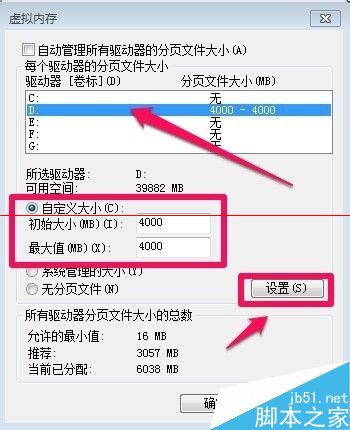
- 選非系統盤 (如 D:) → 「系統管理的大小」或「自訂大小」。
- 自訂大小建議:初始/最大值 = 實體記憶體 2-3 倍(如 2GB RAM → 4GB 虛擬記憶體)。
- 確定 → 重開機生效。
注意:一般建議選「系統管理的大小」由 Windows 動態調整,手動設定需了解自身負載特性。