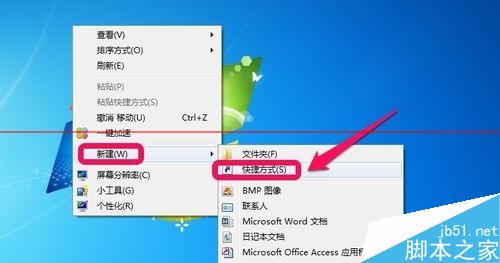
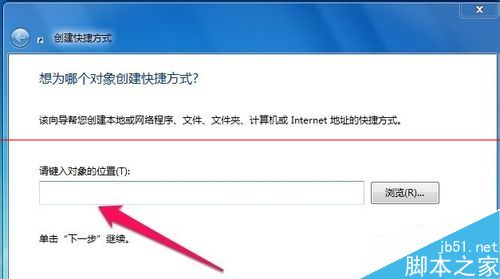
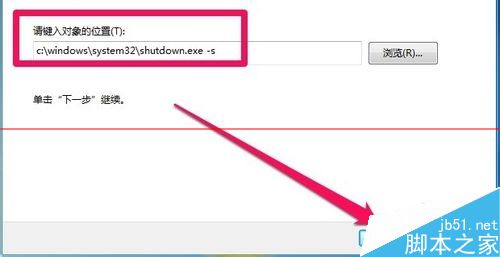
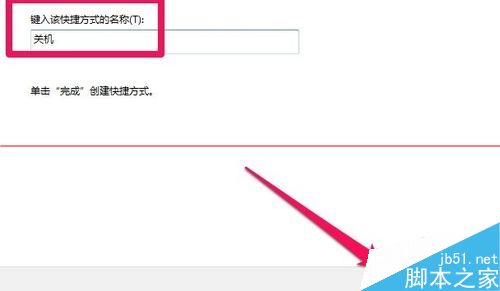
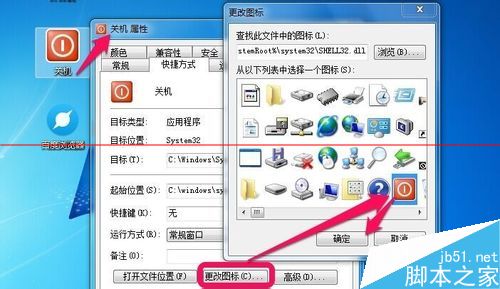
c:\windows\system32\shutdown.exe -s
-s
延伸:-r 重開機、-t 秒數 延遲關機、-a 取消排程關機,組合參數可打造多樣化電源控制捷徑。
-r
-t 秒數
-a
Windows 10 系統貼靠功能怎麼用?Snap 視窗佈局操作教學
Win10 安全模式是什麼?六大實用場景與實戰案例分享
Win 快速鍵大全與「Win+」組合鍵停用技巧:登錄表修改法
Win10 線上帳號切換為本地帳號登入完整教學
Windows 系統崩潰桌面空白 修改登錄啟用 AutoRestartShell 自動恢復
知名評測專家莫博士評論 Win10 正式版:功能不錯但「令人驚訝地充滿漏洞」
微軟推送 Win10 Build 14328 快速版:開始選單重設計、Windows Ink 強化、騰訊遊戲受影響
Win10 Redstone 預覽版 14291 簡體中文 ISO 映像下載 32 位元