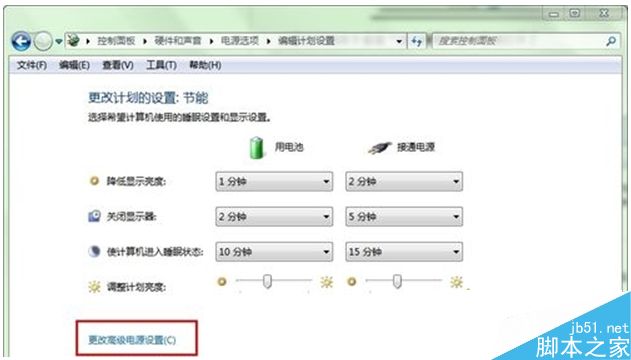
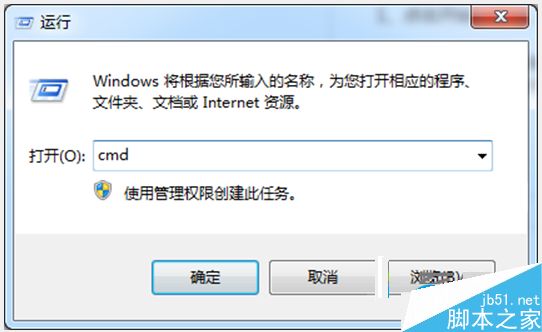
Win7 混合睡眠 = 睡眠 + 休眠,資料同時寫入記憶體與硬碟,斷電不丟失、喚醒比休眠快。啟用方法:
cmd
powercfg -h off
優勢:比睡眠多斷電保護,比休眠快(有電時直接從記憶體喚醒)。適合筆電日常合蓋待機。
Win7 語言列不見了?控制台「語言列」索引標籤勾選停駐工作列
Win10 快速存取清單取消固定資料夾方法
聯想 Win8/8.1 預裝機改裝 Win7:BIOS 設定與 MBR 分區完整教學
XP 系統如何設定開機密碼保護電腦?完整圖文步驟教學
OpenVPN Client 客戶端完整設定教學(Windows 7 測試環境)
Win10 Build 10125 驚現 Windows Hello 生物識別:臉部/虹膜/指紋解鎖,需紅外硬件
Win10 測試版持續優化搜尋與 Cortana,開始選單改用 XAML 重寫
蘋果電腦安裝 Windows 7 調整預設字體大小 DPI 設定