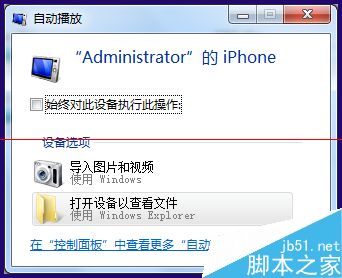
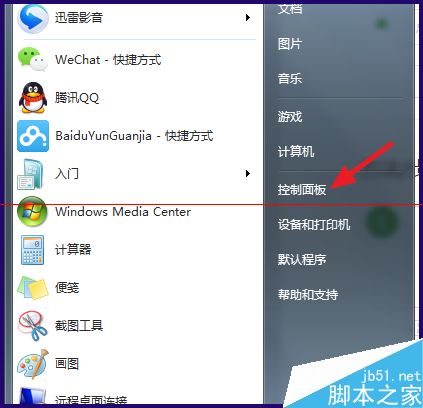
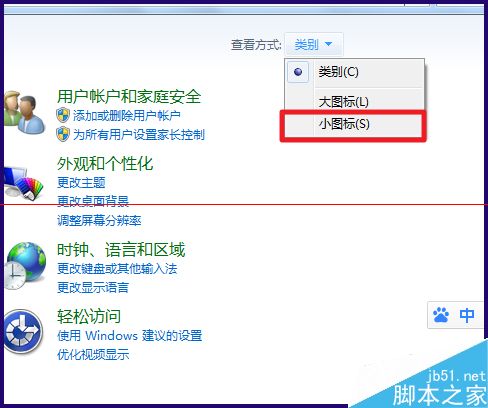
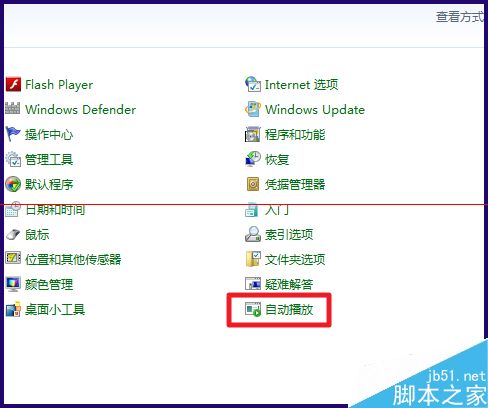
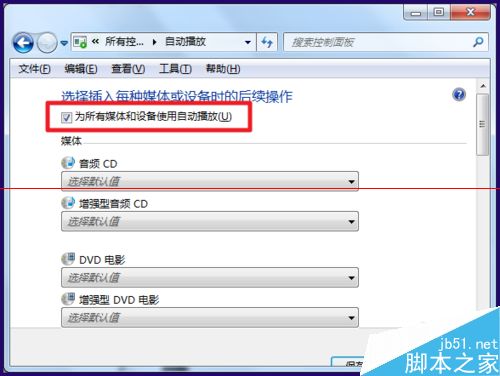
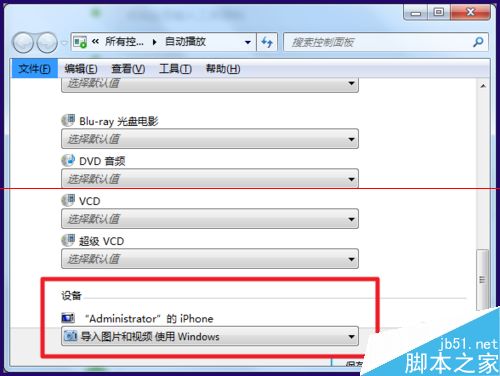
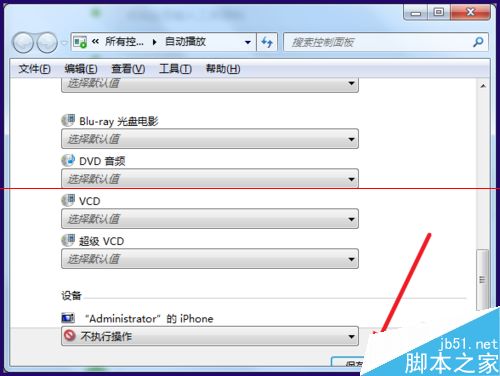
插入儲存裝置自動彈出「自動播放」視窗嫌煩人,可全域或單裝置停用:
全域關閉適合純資料傳輸環境;單裝置設定適合保留光碟自動播放等特定需求。
Windows 7 設定立體聲混音:錄製電腦內部聲音與麥克風同時輸出
Windows 10 仍需改進的 7 大痛點:檔案總管缺分頁、設定與控制台分裂、開始選單客製化不足...
Windows 7 系統中文顯示亂碼?修正非 Unicode 程式語言設定
Win8.1 開機自動開啟數字鍵鎖定的三種設定法
Windows 7 磁碟分割教學:壓縮現有分割區建立新磁碟區 (圖文詳解)
不求人裝系統:Windows 10 乾淨安裝完整圖文教學 (USB 開機、分區、格式化、安裝)
Win10 家庭版升級專業版只要五步,無縫升級不刪資料,售價 879.99 元
Win7 網路位置選擇指南:家用/公司/公用三種防火牆策略差異詳解