Win8/8.1 預設中英切換為 Ctrl+Space,慣用 Ctrl+Shift 的用戶需手動新增「美式鍵盤」。介面無法直接操作,需匯入登錄檔:
Windows Registry Editor Version 5.00

[HKEY_CURRENT_USER\Keyboard Layout\Preload]
"1"="00000804"

[HKEY_CURRENT_USER\Keyboard Layout\Substitutes]
"00000804"="00000409"
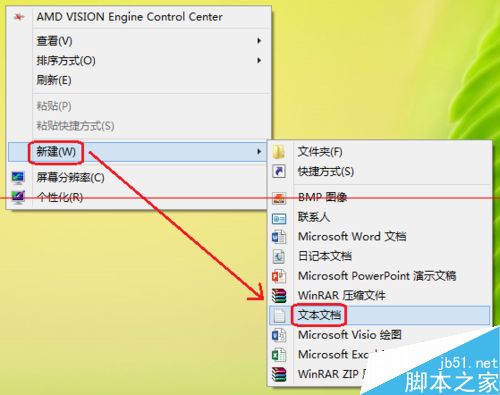
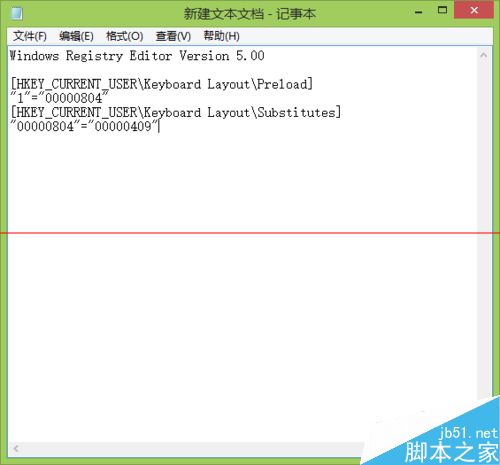
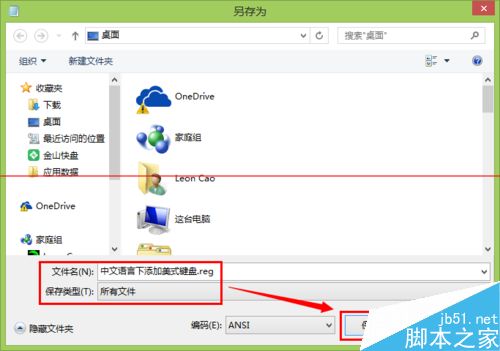
.reg 檔(檔名任意,副檔名必為 .reg)。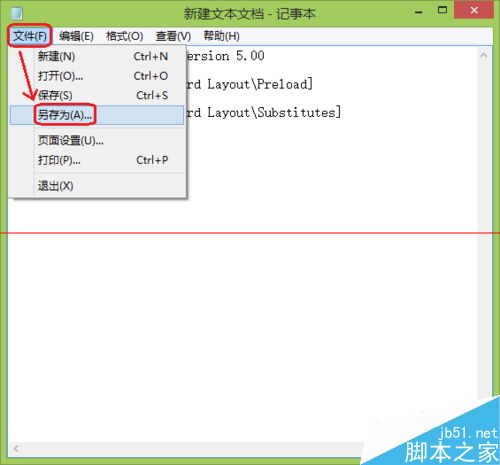

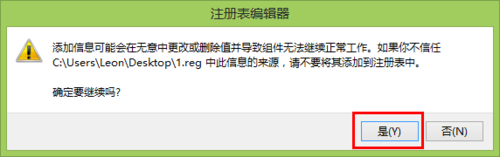
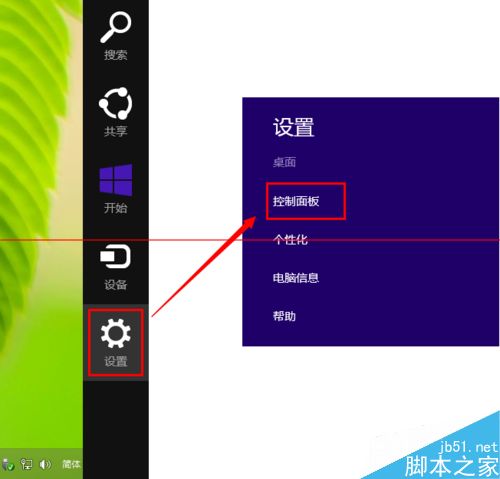
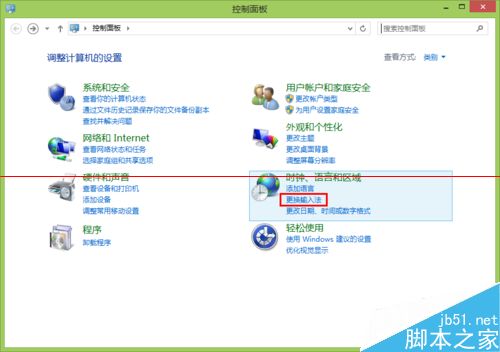
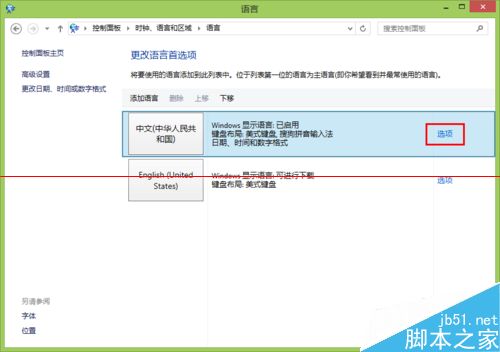
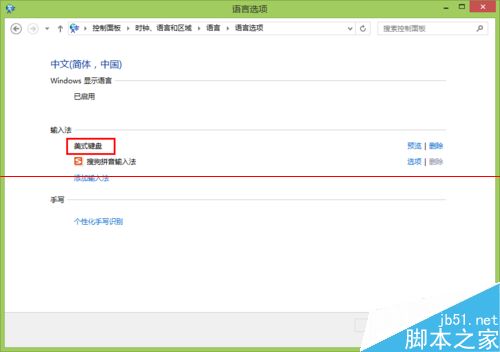
若控制台未顯示:登出重登或重開機。完成後即可用 Ctrl+Shift 在中文輸入法與美式鍵盤間切換。
在 Windows 10 體驗 Win7 經典小遊戲:純淨安裝包下載(含掃雷、紙牌、蜘蛛紙牌等)
HP C4780 印表機 Windows 8.1 64位元驅動程式下載 (360 雲盤分享)
Windows 7 磁碟錯誤手動檢測修復:內建工具、NDD/Scandisk、登錄檔停用開機掃描多重方案
Win7 系統喇叭有雜音怎麼辦?Realtek 音效管理器設定消除雜音
Windows 7 顯示/隱藏通知區域圖示:任務列屬性自訂通知行為
Win10 Mobile 10166 正式推送:修復 10149 大量已知 Bug,UI 細節再優化