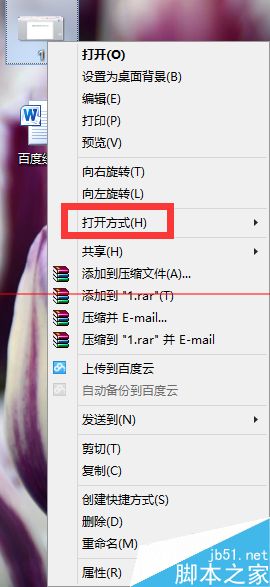
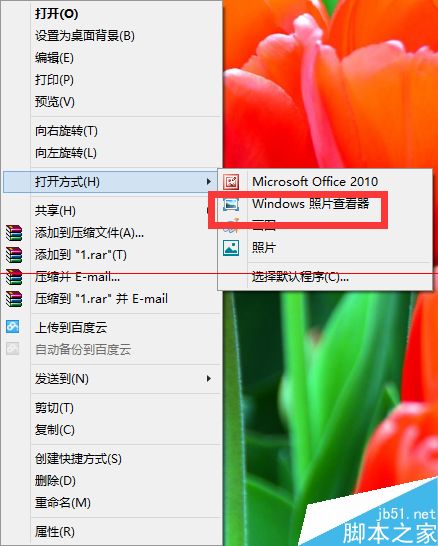
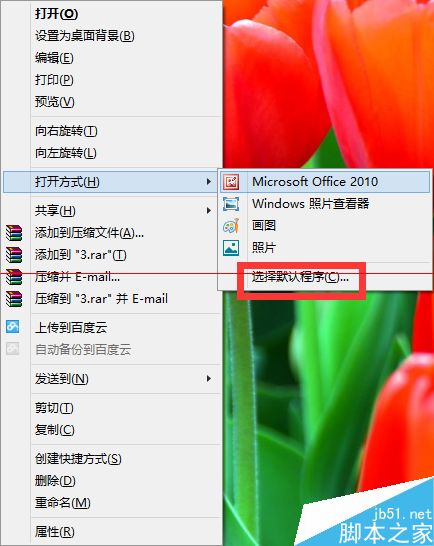
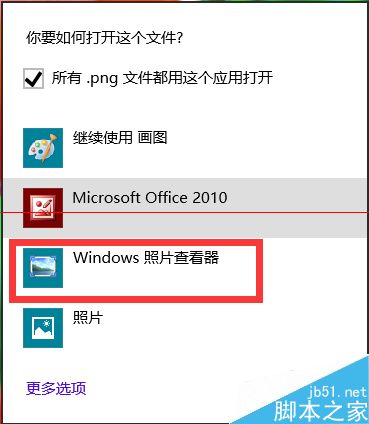
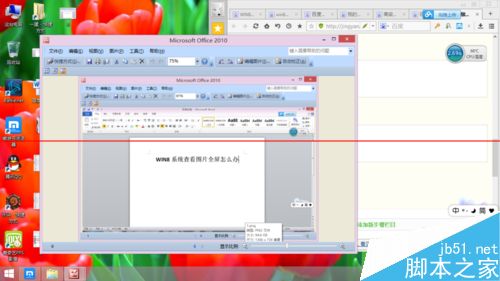
Win8 預設雙擊圖片進入全螢幕 Modern 應用,不便多工與重命名。改用傳統「Windows 相片檢視器」以視窗模式開啟:
傳統檢視器輕量、啟動快、支援視窗化操作,適合習慣桌面工作流的用戶。
Windows 7 連接列印伺服器完整設定教學(TCP/IP 連接埠 + LPR 協定)
Win10 應用程式設定壞了怎麼辦?兩招快速重置為預設值(免重裝)
Win10 預覽版觸控版 Office 無法開啟?授權快取殘留導致,批次檔一鍵修復
Win7 工作列右下角時間不見了?三步驟找回系統時鐘圖示
Windows 10 資料夾選項在哪?兩種快速開啟方法圖文教學
Win7 設定自動關機:工作排程器建立基本任務 + shutdown 指令參數
優化 Windows Server 2008 實用技巧大全
Win7 待機喚醒密碼設定教學:先設開機密碼,再啟用電源選項「喚醒時需要密碼」