3 月 6 日消息,備受期待的透明效果終於在 Win10 預覽版 10031 中現身。隨著發布文檔曝光,大量用戶尋覓下載地址與安裝教程。目前透明效果僅限於開始選單,且顏色可根據桌布主色調自動同步變化;任務列等其他區域尚未實現透明化。
Build 10031 歸屬 fbl_impressive 分支,微軟表示未來公開預覽版將基於此分支。功能改進涵蓋觸控辨識、感測器偵測報告、離散 GPU 渲染等。安裝後的微軟帳號設定與首次執行體驗(OOBE)已由雲端流程取代,允許微軟在雲端動態調整體驗。
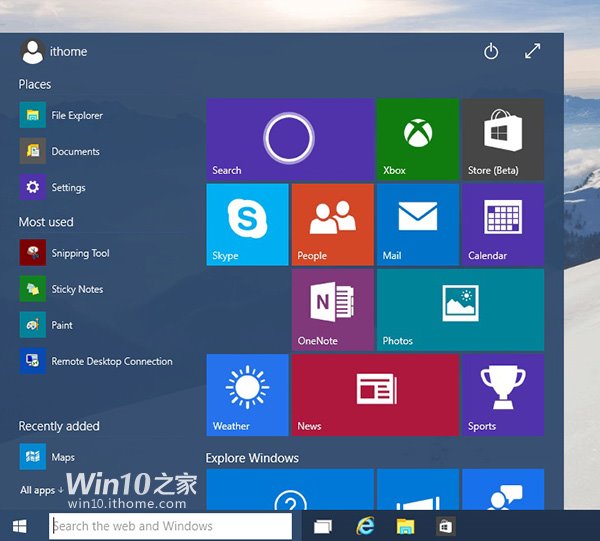
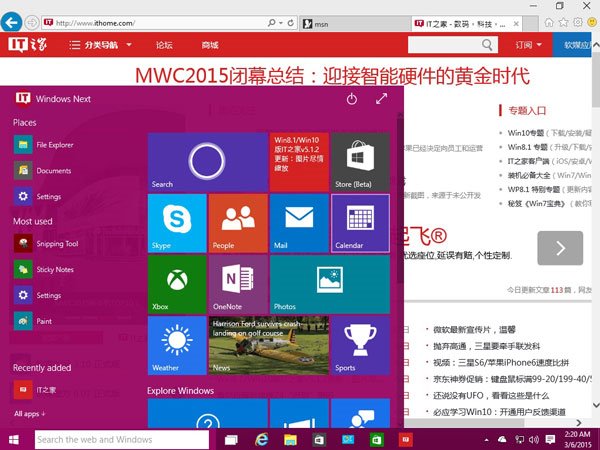
開始選單模式:透明度與桌布色調聯動。
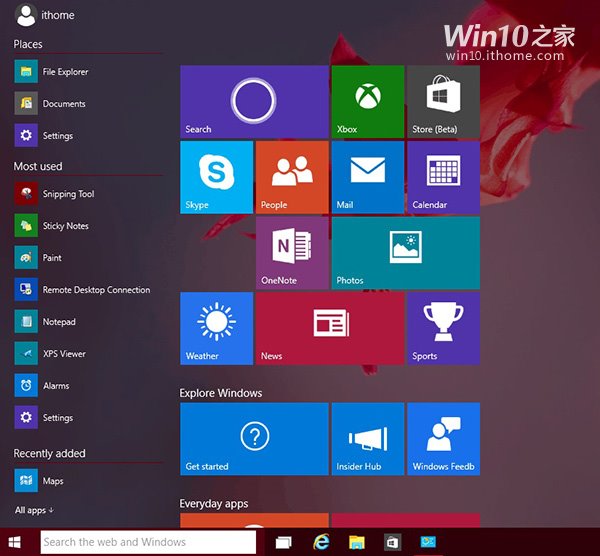
開始畫面模式:同樣套用半透明視覺風格。
詳細安裝步驟請參考後續圖文教程。