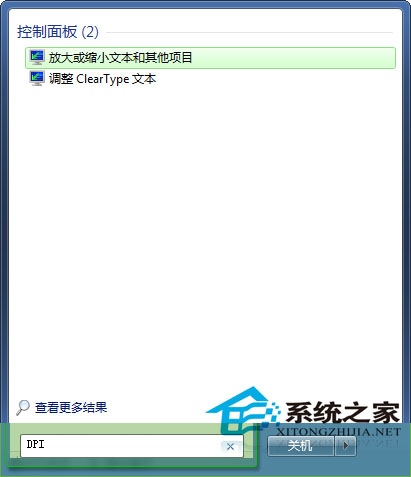
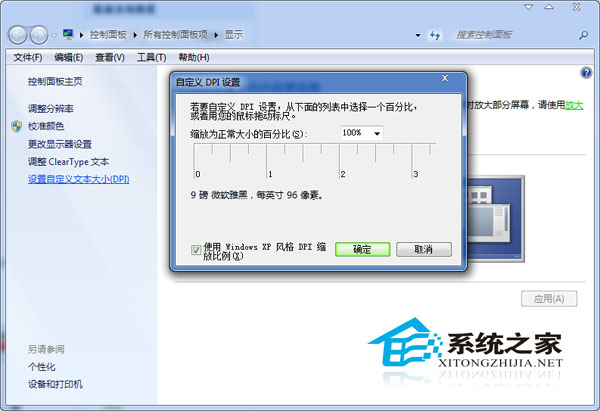
高解析度螢幕下,單純調整解析度無法改善文字閱讀體驗(間距、大小不一),需調整 DPI(每吋點數)縮放比例:
DPI 縮放會影響系統字體大小與介面控制項尺寸,請依個人視力與螢幕尺寸調整至最舒適狀態。
Win10 推出「話費代扣」支付方式:無信用卡也能在商店購買服務
Win7純淨版安裝步驟完整圖文教學:拒絕GHOST、選擇原版ISO安裝最穩定
Windows 10 最終硬體需求公布:幾年前的舊電腦也能輕鬆跑
Windows 8 停用多核心處理器強制單核運行:msconfig 進階選項設定
Win10 控制台項目無法開啟?三大修復方案完整圖文教學
Windows 8 家庭組功能使用教程:建立共享、修改高級設置
Win10 預覽版 14393 如何設定小娜關注 2016 里約奧運?一鍵獲取獎牌榜賽程資訊
Windows 10 右鍵選單太寬?一鍵登錄修改恢復經典窄版寬度