Windows XP Windows 7 Windows 2003 Windows Vista Windows 綜合教學 Linux 系統教學
Windows 10 Windows 8 Windows 2008 Windows NT Windows Server 電腦軟體教學
您现在的位置: Windows教程網 >> Windows教程 >  >> Windows 綜合教學 >> 關於 Windows

Win10 預覽版 14393 如何設定小娜關注 2016 里約奧運?一鍵獲取獎牌榜賽程資訊

編輯:關於 Windows

Win10 小娜 (Cortana) 可即時提供 2016 里約奧運最新資訊,設定簡單:

  1. 點擊小娜輸入框,或按 Win+Q / Win+S 喚醒。

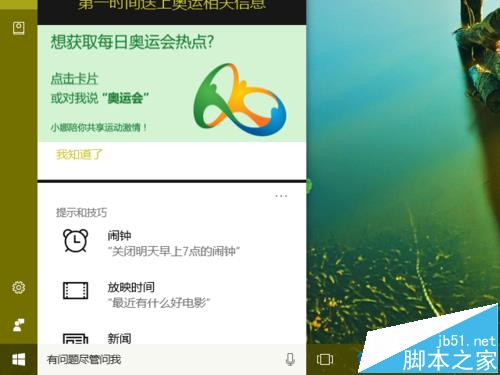
  2. 向下捲動,點擊 「想獲取每日奧運資訊熱點?」 中的 「點擊卡片」 連結。

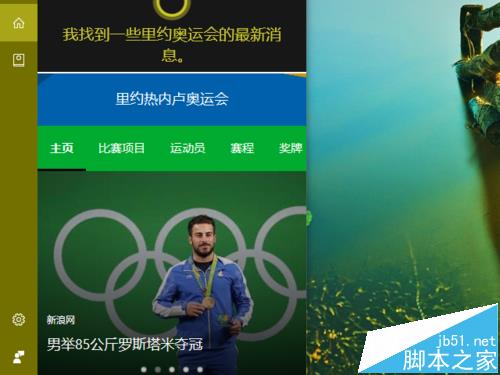
  3. 小娜展示最新資訊卡片。

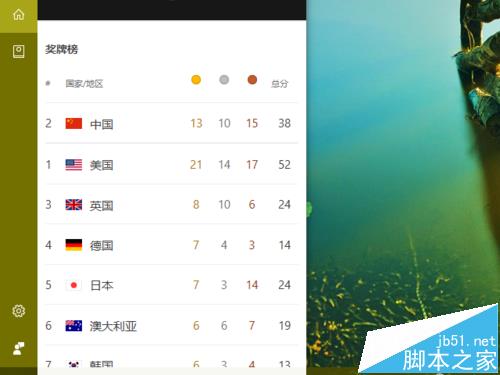
  4. 繼續捲動即見 最新獎牌榜。

  5. 點選卡片中的「比賽項目」、「運動員」、「賽程」、「獎牌」等分類,獲取詳細資訊。
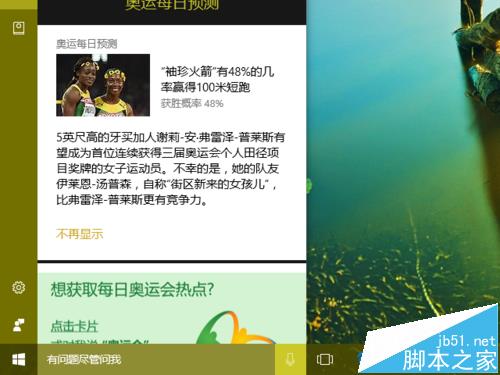
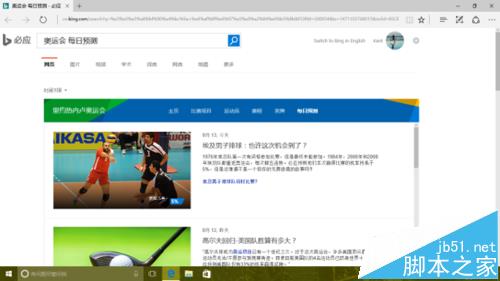
  6. 點選「每日預測」,小娜開啟 Edge 瀏覽器展示預測分析文章。

小娜化身奧運資訊小助手,免安裝額外 App 即可追蹤賽事動態。延伸推薦:開啟語音喚醒小娜、小娜離線狀態處理、週年更新版小娜變化介紹。

Copyright © Windows教程網 All Rights Reserved