IIS 是 Windows 內建 Web 伺服器,支援 ASP/ASP.NET/靜態網站託管。本文提供三種開啟 IIS 管理介面的方法,適用於 XP/Server 2003 環境(Win7/8/10/11 架構不同,請參考對應版本教學)。
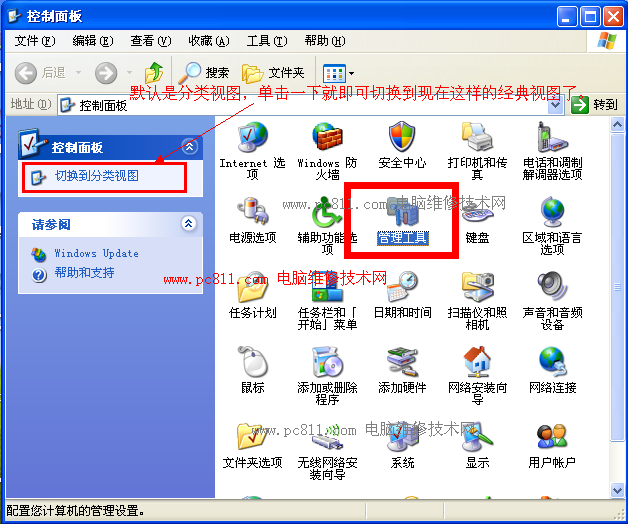
方法一:控制台 → 系統管理工具
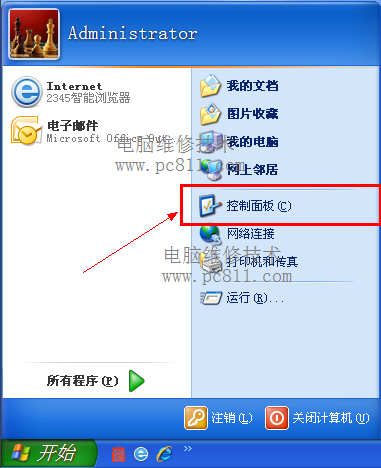
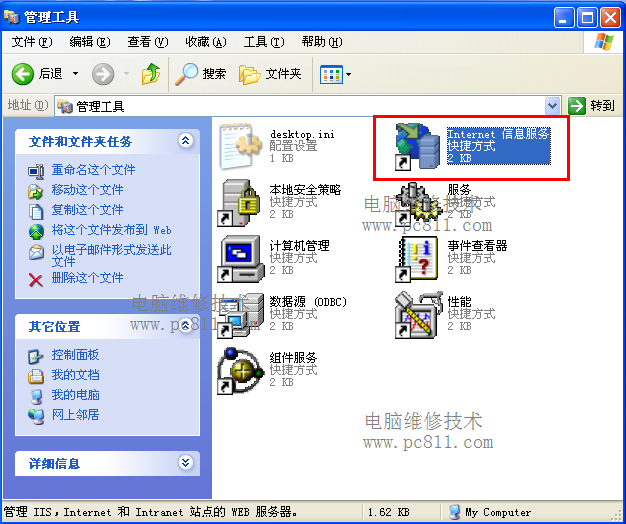
- 開始 → 控制台 → 切換「經典檢視」 → 「系統管理工具」。
- 雙擊「Internet 資訊服務 (IIS) 管理員」。
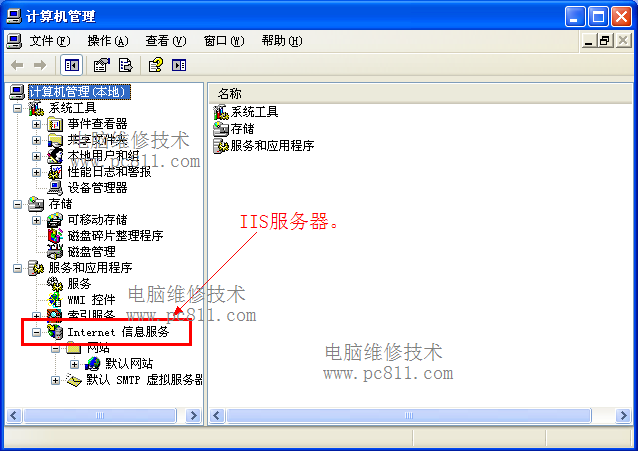
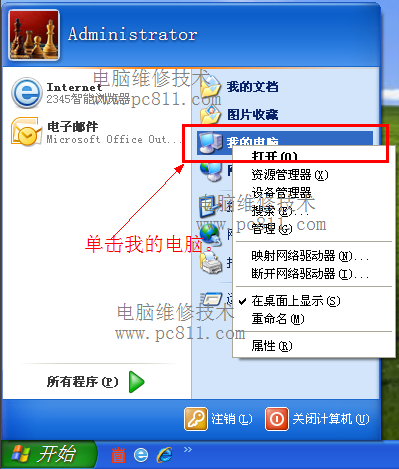
方法二:電腦管理
- 右鍵「我的電腦」→「管理」。
- 左側「服務與應用程式」→「Internet 資訊服務」。
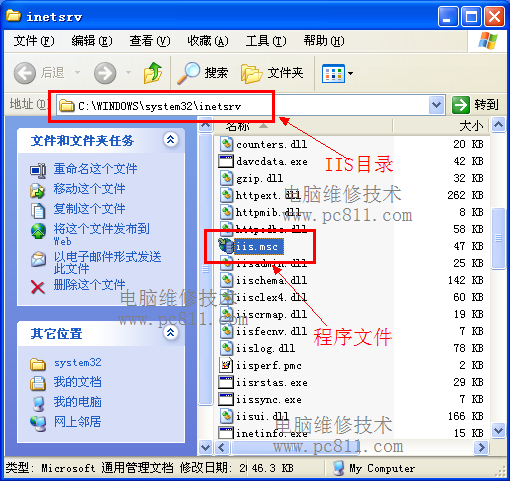
方法三:實體檔案
- 開啟
C:\Windows\System32\inetsrv\。
- 雙擊
iis.msc。

注意事項
- 若以上方法均無法開啟,表示 IIS 未安裝。請至「控制台」→「新增/移除程式」→「新增/移除 Windows 元件」→ 勾選「Internet 資訊服務 (IIS)」安裝。
- XP 專業版預設不安裝 IIS,需手動添加;Server 2003 預設安裝。
- Win7 以上版本 IIS 架構重大變更(模組化、應用程式集區獨立管理),請搜尋對應版本教學。