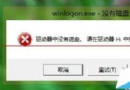
更新中斷導致開機報錯 C0000034,提示 0000000000000000.cdf-ms。無需光盤,透過「啟動修復」進入命令提示字元即可修復:
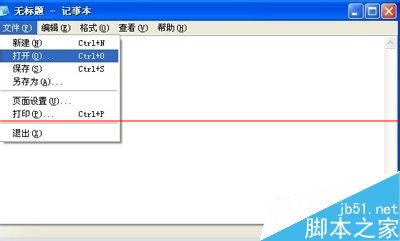
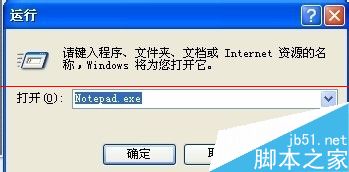
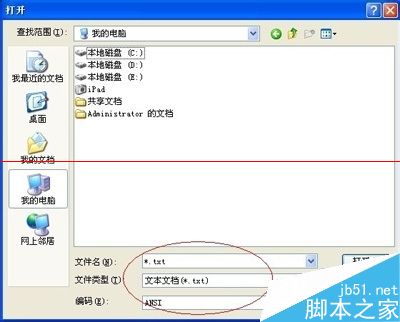
notepad.exe 開啟記事本 →「檔案」→「開啟」→ 檔案類型改「所有檔案」。C:\Windows\winsxs\pending.xml,先備份再開啟(載入較慢請耐心等待)。0000000000000000.cdf-ms,找到所在的 <checkpoint>、<deletefile>、<movefile> 三個標籤區塊,整組刪除。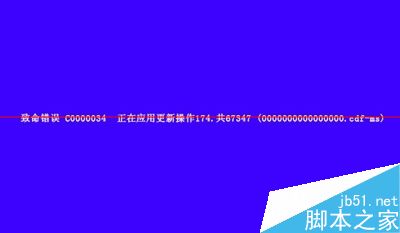
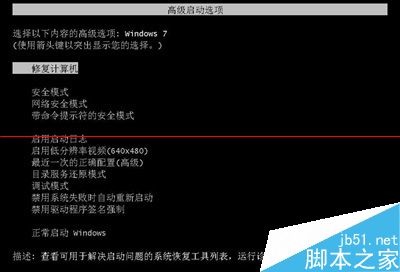
若找不到特定檔名,直接搜尋 checkpoint 刪除對應區塊同樣有效。若仍無法解決,建議尋求專業維修協助。
Win 10 Build 10525 新功能體驗影片:彩色標題列與壓縮儲存記憶體管理
Win8.1 對決 Win10 十大差異深度解析:價格、裝置支援、開始選單、應用視窗、虛擬桌面、Xbox、Office、Cortana、Spartan、命令提示字元
Windows 7 如何停用 IE 瀏覽器附加元件以提升瀏覽速度
Win10 UWP「電影與電視」預覽版更新:新增永遠全螢幕播放選項
Win10 10565 预览版新功能上手视频:Cortana 手写识别、交互式通知、Skype 集成、标题栏配色
Win10 Build 10009 全新瀏覽器 Project Spartan 實測:Edge 引擎、Cortana 整合、閱讀模式