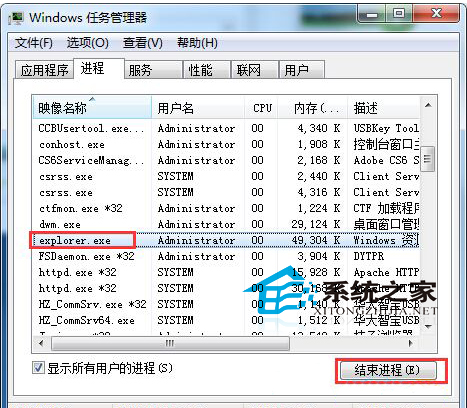
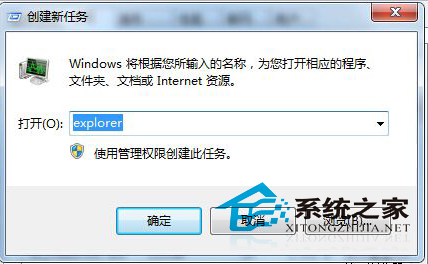
Win7 操作中滑鼠突然失效、桌面圖示點擊無反應,原因是資源管理器當機。桌面與視窗皆由 explorer.exe 控制,重啟即可解決。
explorer.exe
explorer
切勿隨意結束不明進程,可能導致其他程式功能失效。
Win7 刪除不明帳戶權限,強化系統安全
Win7 開機主機運作但螢幕黑屏無訊號排查:主板自檢、顯示線、記憶體、CMOS 電池四大核心檢查項
Win10 萬用 Win 鍵 20 組實用快速鍵大全:強大且實用的效率神器
Win Server 2003 遠端桌面如何切換到主控台模式?
Windows 7 內建畫圖工具開啟方法:執行 mspaint.exe
解決殺毒後 Windows 桌面消失:explorer.exe 恢復完整指南
Win10 Build 10134 官方英文 64 位元 ISO 下載 (新增 Edge 首頁按鈕、可拒絕後續推送)
U 盤安裝 Win7 遇到「無法定位分區」?PE 複製開機檔 + bootsect 修復引導完整實戰