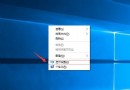
有網友反映 Win10 桌面背景變黑且無法設定,分析可能是啟用了「不顯示 Windows 背景」選項。解決方法如下:
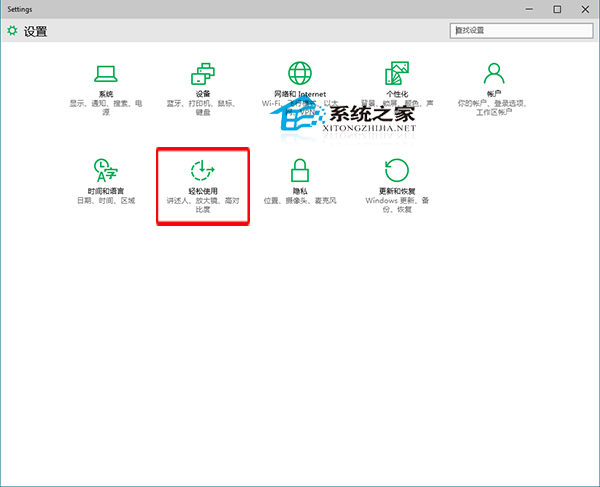
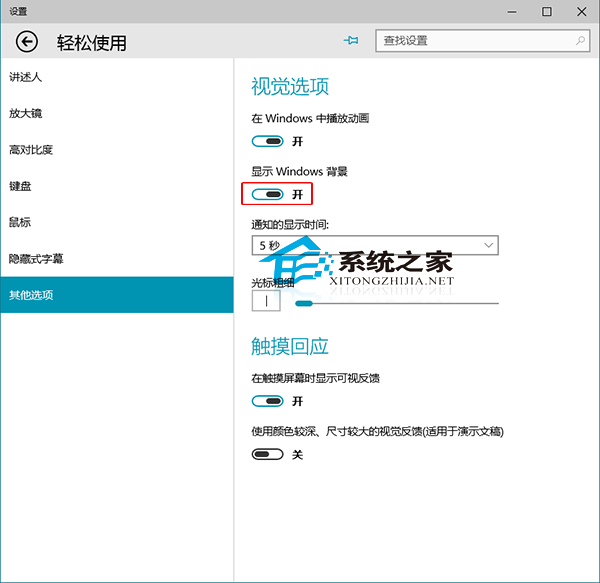
Win10 內建支援純色背景,免去下載圖片麻煩。
Win10 紅石版 Edge 瀏覽器新擴充功能「關燈」:暗光環境護眼神器
Win10 手機版 Spartan(斯巴達)瀏覽器體驗評測:全新 UI、沉浸閱讀、完美字體渲染
Win10 Mobile 10586.306 提前上手視頻評測:累積更新修復 Bug、優化性能、電池續航提升明顯
Win7 關機卡在「正在等待後台程式關閉」解決方案:修改登錄縮短等待時間
Win10 更新 KB3156421 後裝置變慢?微軟確認 Cortana 相容性 Bug,暫時關閉 Cortana 緩解
Windows 10 官方商城頁面上線:今夏正式發行、手機版延後、111 種語言支援