Windows 7 IE 安裝 Flash 出現憑證驗證失敗,解決方法:
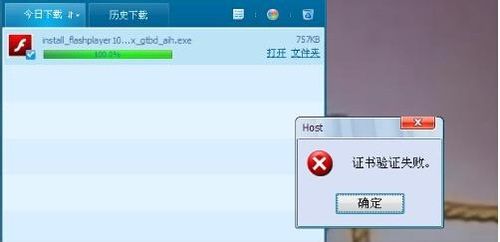
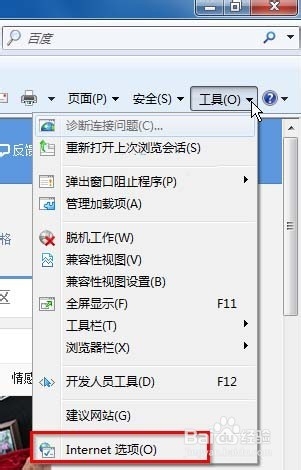
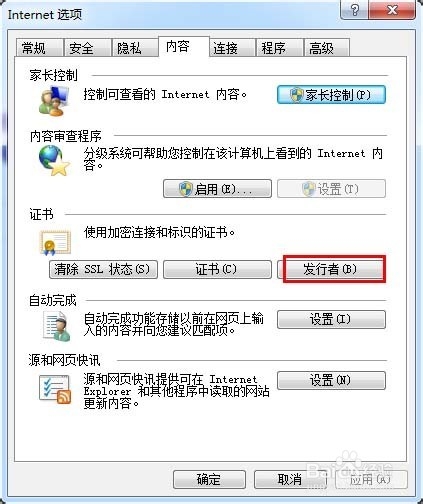
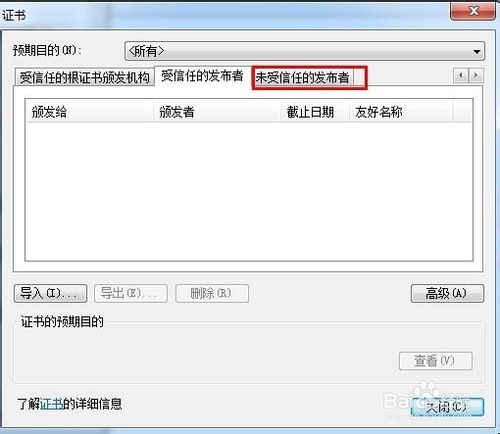
移除後重新安裝 Flash 即可正常。
Win10 Build 10049 問題修復匯總:登入藍畫面、Outlook 搜尋、虛擬機相容、照片應用崩潰、開始畫面透明、鎖定卡頓 + 反饋管道
Windows 7 修改工作列預覽縮圖大小:登錄編輯自訂縮圖尺寸
XP 系統啟動項優化:msconfig 停用非必要啟動項提速開機
Win7 開啟 IE 提示「已停用的增益集,網頁內容無法顯示」?兩步驟修復捷徑參數錯誤
升級 Win10 正式版後觸控板手勢有哪些變化?11 個必學多點觸控手勢圖解
Win10 Build 10532 實測影片:右鍵選單變黑、Feedback 可分享、Edge 引擎升級