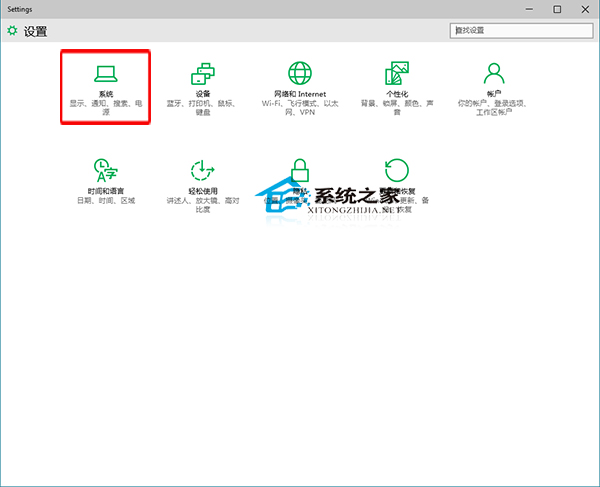
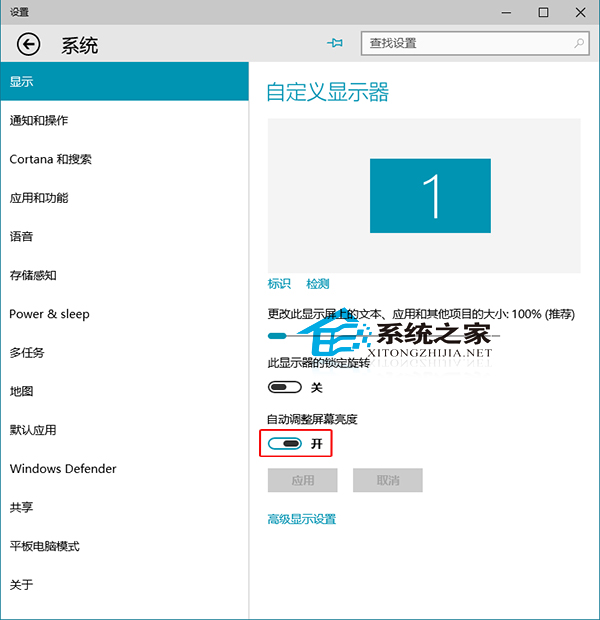
現代筆電多內建環境光感應器,Windows 10 可自動調節螢幕亮度:
啟用後感應器依環境明暗自動調整亮度,保護視力。
Win7 關閉 UAC 使用者帳戶控制教學:透過群組原則徹底停用提示彈窗
Win7 桌面圖示不見了?手把手教你重建捷徑
Windows 10 Mobile 10149 中文評測視頻:磚塊動畫是否抄襲 iOS?
Win8 開機黑屏等待過久?四大解法含虛擬記憶體重置、字體快取、啟動等待、顯卡驅動
安裝Win7系統時硬盤IDE與AHCI模式詳解及AHCI驅動安裝教程
Win10 与 Win8.1 显卡性能对比:DX11 游戏无差别,静待 DX12 红利
Win7更換主題後如何保留自訂桌面圖標?一招防止被重置
Win7 更新報錯 80072EE2?重置更新元件三步驟徹底解決