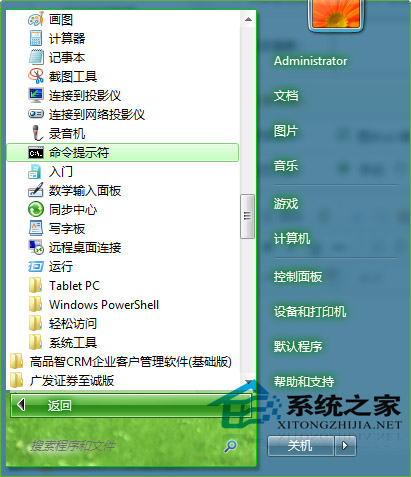
Windows 7 檔案屬性常被鎖定為「唯讀」,無第三方軟體也能批量修改:
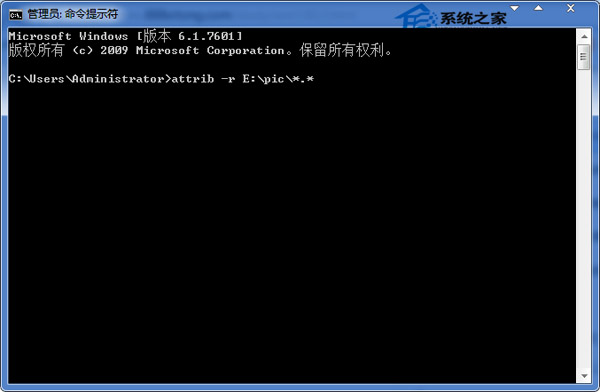
attrib -r E:\pic\*.*
完成後檔案屬性變更可修改,不再僅顯示「唯讀」。
Windows 10 鎖定螢幕兩大快速方法:保護隱私必學技巧
Windows 10 台式機無法辨識硬碟?五大故障徵兆與原因分析
免費升級 Win10 資格取得與硬體需求完整指南:360 一鍵檢測教學
搜狗官方回应:Win10 下无法安装输入法因签名吊销,已下架整改后将上线
Win10 IoT 核心預覽版更新包下載:支援 Raspberry Pi 2、MinnowBoard MAX
Windows 7 變更桌面背景與設定幻燈片輪播教學
Win7 系統 IE 瀏覽器無法播放網頁影片?完整排除教學與解決方案
Windows 常用 Shell 指令完整對照表:快速開啟系統特殊資料夾