Windows XP 重裝系統若未備份 EFS 加密檔案憑證,將無法存取加密檔案。若僅資料夾加密、子檔案與子資料夾未加密、且無新檔案加入,可嘗試以下方法:
需求: 僅適用資料夾加密、內含檔案未加密情況。
以 Windows Me/XP 雙系統為例,Windows Me 需安裝 NTFS For 98 (需 XP 7 個系統檔:autochk.exe、C_437.NLS、C_1252.NLS、L_INTL.NLS、NTDLL.DLL、NTFS.SYS、ntoskrnl.exe)。
此法適用範圍有限,多數使用者會加密所有檔案。平時務必備份 EFS 憑證:
備份金鑰: certmgr.msc →「憑證」→「目前使用者」→「個人」→「憑證」→右鍵「所有工作」→「匯出」→勾選「匯出私密金鑰」→儲存。重裝系統時匯入即可。
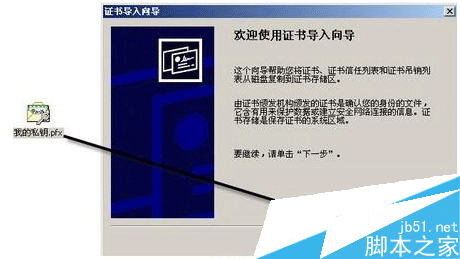
設定 Windows 復原代理 (以 magic 使用者為例):
cipher /r:c:magic 輸入密碼,產生 magic.cer 與 magic.pfx。magic.pfx 輸入密碼。gpedit.msc →「電腦設定」→「Windows 設定」→「安全性設定」→「公開金鑰原則」→「加密檔案系統」→右鍵「新增資料復原代理」→選 magic.cer 完成。以後即可用 magic 解密。符合條件即可找回 EFS 加密檔案,請實際操作驗證。