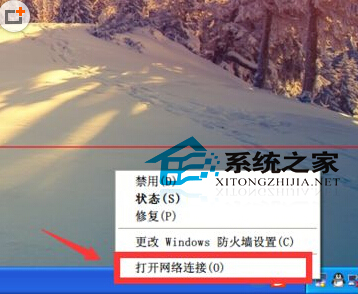
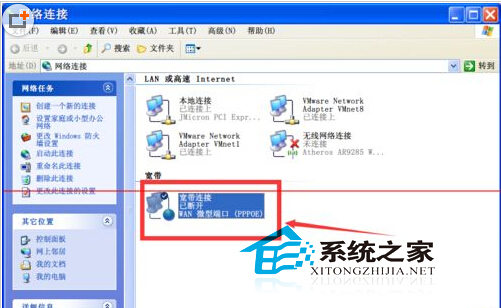
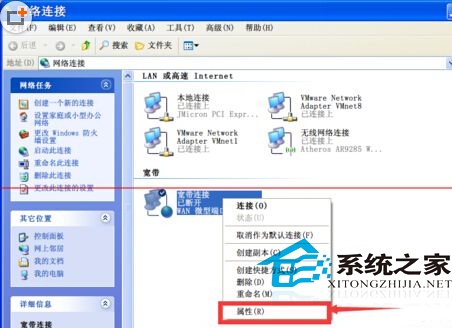
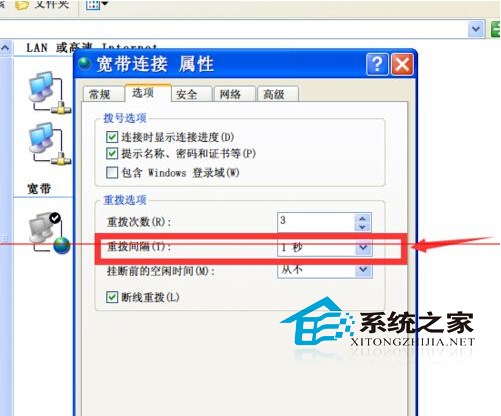
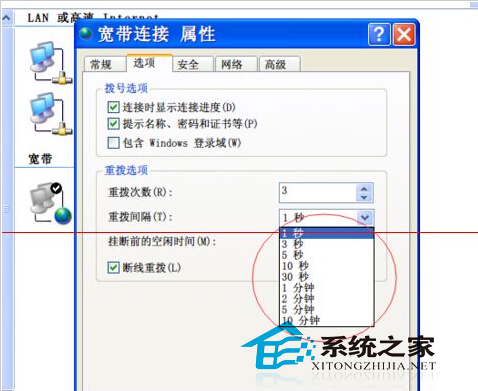
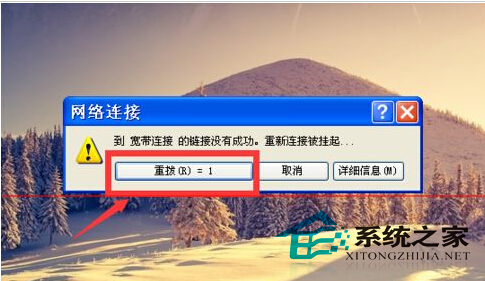
XP 斷線後彈出撥號視窗,預設重撥間隔較長(如 30 秒)。修改為 1 秒可實現近乎即時自動重撥。
1
提醒:間隔過短可能頻繁佔用線路資源,引發 ISP 限制或路由器負載,建議不低於 5-10 秒。
Win8.1 雙系統開機選單時間太短?教你延長作業系統顯示清單時間
Win7 藍屏 0x000000ED 終極修復:BIOS 預設值 + chkdsk /f /r 硬碟修復
Win10 10061主題色彩修改方法:設定App三選項與隱藏暗黑主題啟用
Win7 旗艦版關閉螢幕自動調節亮度:兩種方法任選一
Win7 重裝 Chrome 失敗錯誤碼 0xa0430721?刪除殘留資料夾即可解決
Win10創建透明文件夾隱私保護術:圖標透明化+命名隱身雙重偽裝
Win10 搜尋不到無線網路?手機熱點也連不上?完整排查與修復指南
Win10 一週年更新「設定」App 介面大改版:左側導覽列豐富化、搜尋上移、圖示化分類、工作列屬性整合