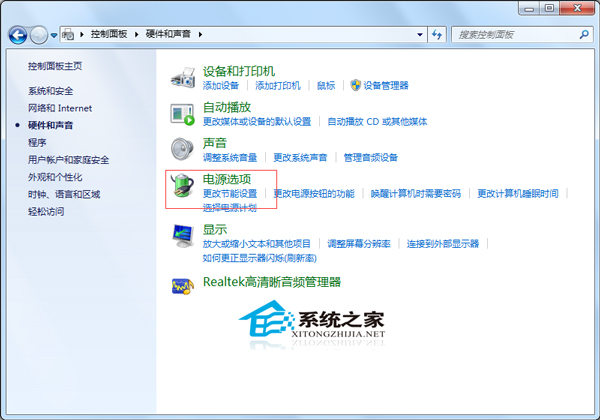
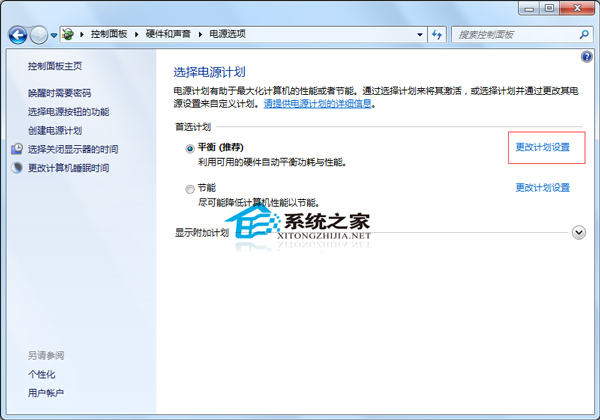
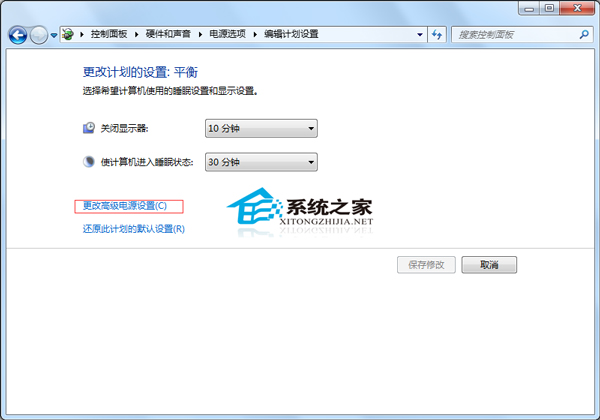
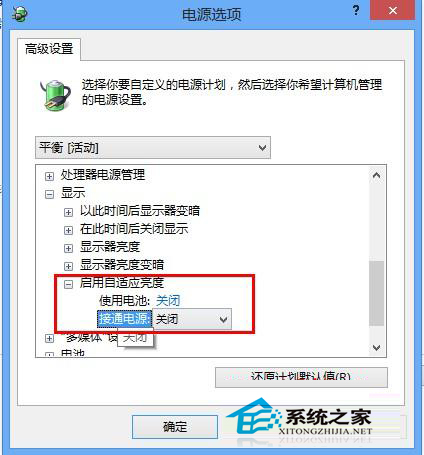
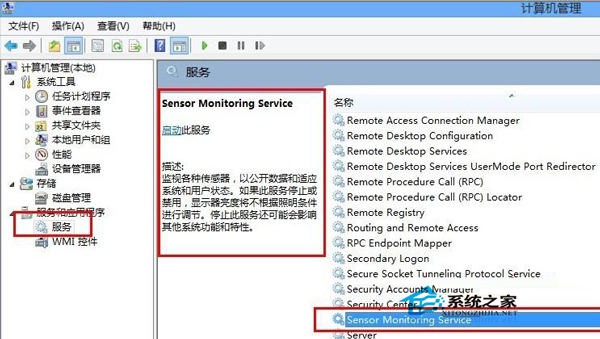
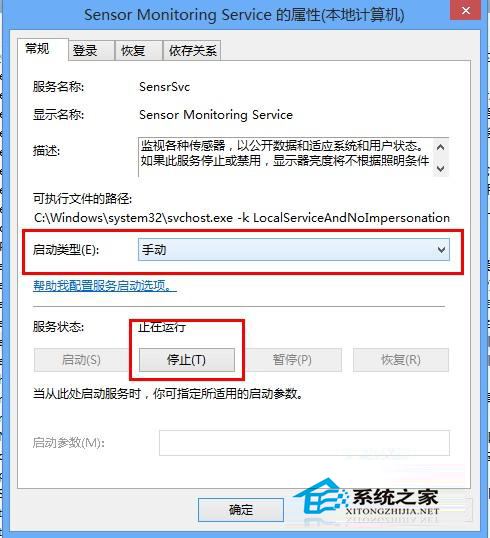
Win7 螢幕亮度隨視窗內容自動調整(自適應亮度)讓部分用戶困擾,可用兩種方式關閉:
Windows 7 開啟虛擬 WiFi 熱點(SoftAP)功能:免路由器共享上網完整教學
Win8 音訊服務未執行怎麼辦?重新啟動 Windows Audio 服務解決
Win10 變更應用程式安裝位置教學:設定介面與登錄表兩種方法
Win10 如何關閉 Windows 檔案保護?群組原則設定「Windows 檔案保護掃描」為已停用
Win10 硬體需求曝光:最低配置不高於 Win7/Win8,老電腦也能跑
WinXP 開機必須按 F11 才能進入系統?原因分析與徹底解決方案
Win10 預覽版 9860 無法關閉自動更新?修改系統資料夾阻擋強制升級
Win10 隱藏桌面圖示一鍵切換:右鍵選單「檢視」取消勾選「顯示桌面圖示」