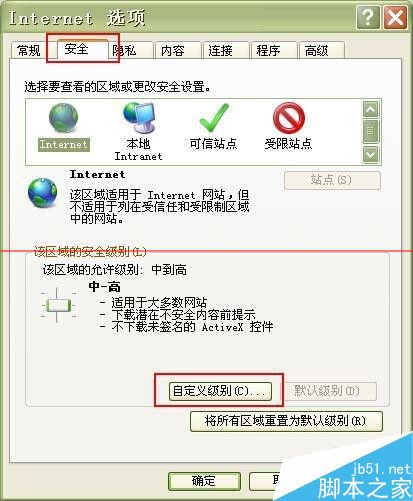
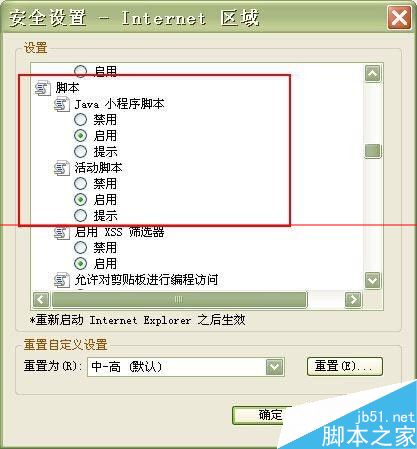
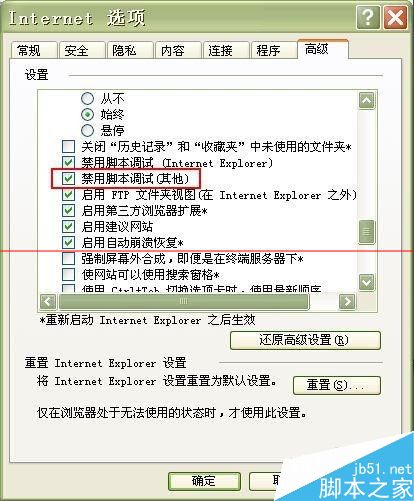
Windows 7 64 位元使用 IE 瀏覽網頁時,若網頁含惡意 Java Applet 腳本,會觸發 IE 不斷開啟新視窗直至系統資源耗盡死機。停用 IE 的 Java 相關腳本功能可根治。
注意: 停用主動腳本會影響部分網頁互動功能(如表單驗證、動態載入),建議改用現代瀏覽器(Edge、Chrome、Firefox)瀏覽需腳本的網站,IE 僅作為相容舊版企業系統之用。
Win8 查看電腦 IP 位址完整教學(公有與私有 IP)
Win10 內建應用程式誤刪怎麼恢復?PowerShell 一鍵重裝預設應用
Win10 應用程式商店打不開?微軟官方修復工具一鍵重置快取完整教學
還沒收到 Win10 升級通知?別急,微軟官方:分批推送需幾週,強制升級易出錯
Win10 14385 雙擊程式卡頓?群組原則設定 UAC 提權行為為「不提示,直接提升」修復
解決「Windows 無法存取指定裝置、路徑或檔案,您可能沒有適當的權限」錯誤
Win7 筆電連接投影機完整教學:解析度設定與投影模式切換(含各品牌熱鍵)
Win10 不裝第三方工具,用指令快速查詢產品金鑰類型