14385 雙擊執行檔卡頓、須重啟 Explorer 才能恢復,調整 UAC 提權提示行為即可解決。
gpedit.msc 開啟群組原則編輯器。電腦設定 → Windows 設定 → 安全性設定 → 本機原則 → 安全性選項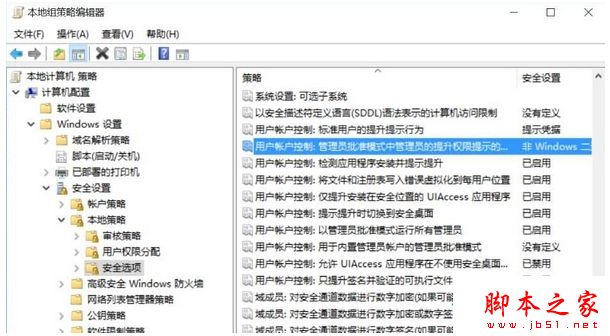
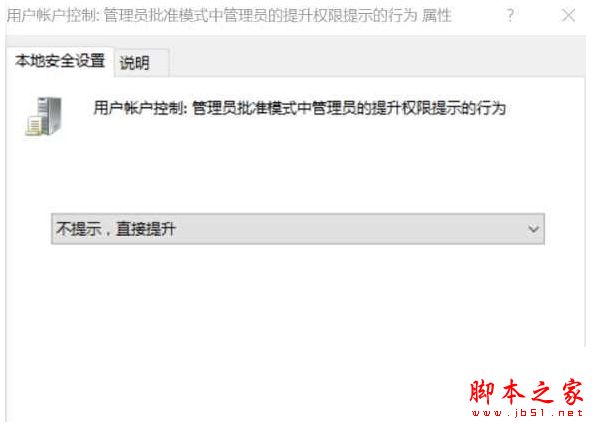
此為 14385 特有 UAC 互動延遲問題,調整提權提示模式即可繞過。
Win7/Win8.1 升級 Win10 更新失敗 80240020 代碼解決方法:複製臨時資料夾手動安裝
DiskGenius 檔案救援全攻略:誤刪、格式化、RAW 分區資料完整復原
工作管理器顯示不完整?四大成因與五招修復 (雙擊邊框、Terminal Services、選擇欄、原則、毒)
Win10 10036 升級 10041 失敗怎麼辦?ISO 鏡像離線升級完整教學
Windows 指令模式設定靜態 IP 與 DNS 完整教學:netsh 指令詳解
DirectX 12 不支援 Win7/8!玩家需購買新顯卡才能發揮性能